portable-audio

Creative Pebble V3: Give the Workday a Soundtrack Without Wearing Headphones

A desk can feel less like a temporary workstation when there is a little music beside the screen. Creative Pebble V3 offers that simple pleasure in two rounded speakers, without asking you to make room for a separate bass box. Think personal desk soundtrack, not a system for filling a noisy party.

Findweave Editorial2 min read

Published

Shop at Amazon

Paid link — we may earn a commission. Amazon may show a local match, an alternative or search results. Check the exact product, delivery and current price.

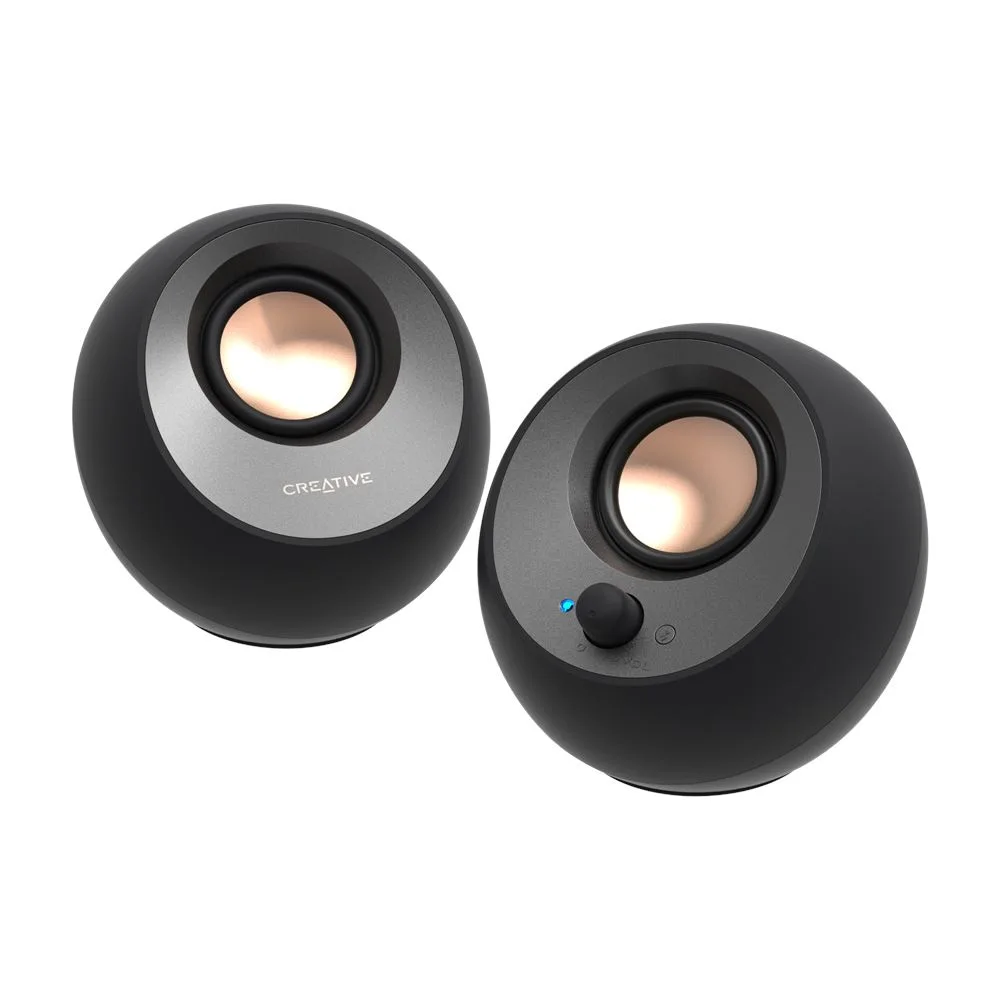
Black Pebble V3 desktop speaker pair with front volume control.
Photo: Creative · Manufacturer reference image

Some links are paid links: we may earn a commission from qualifying purchases. As an Amazon Associate I earn from qualifying purchases. How we earn money.

THE SHORT VERSION

Before you browse

  1. USB-C desktop speakers with USB audio, Bluetooth5.0 and3.5mm auxiliary input.
  2. Requires USB power even in Bluetooth mode; not a battery speaker.
  3. Up to8W RMS/16W peak requires adequate5V2A/10W supply; power adapter and AUX cable not included.
  4. Forty-five-degree drivers aim upward; compact2.0 pair has no separate subwoofer.

A desk can feel less like a temporary workstation when there is a little music beside the screen. Creative Pebble V3 offers that simple pleasure in two rounded speakers, without asking you to make room for a separate bass box. Think personal desk soundtrack, not a system for filling a noisy party.

Small speakers still need somewhere to plug in

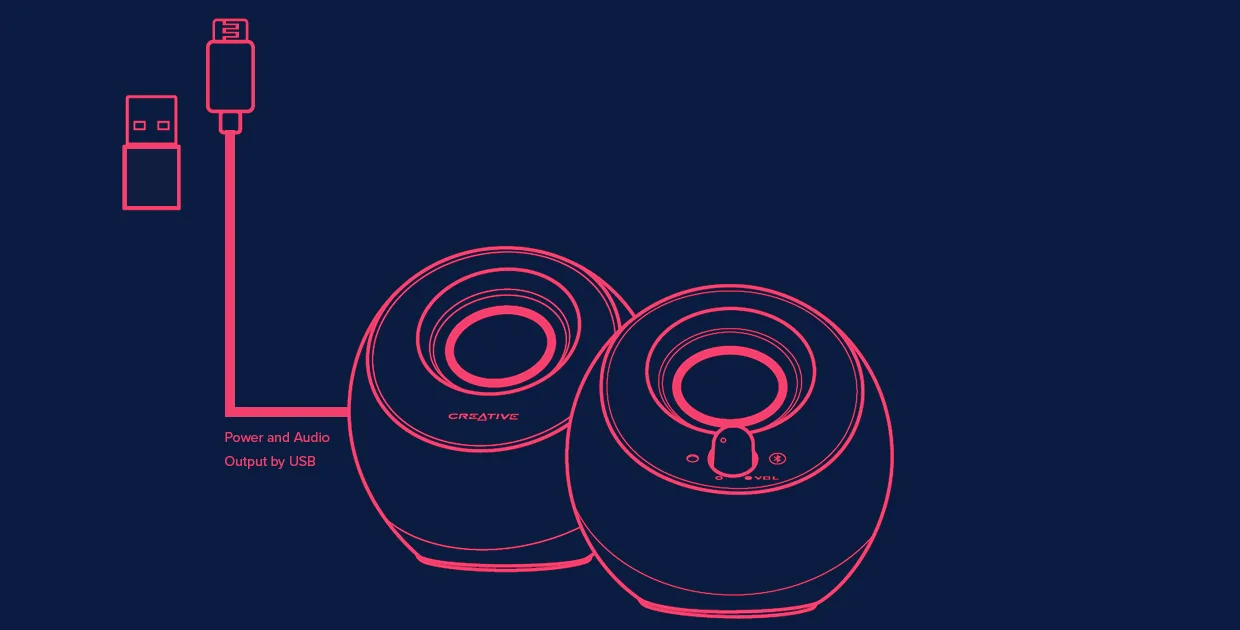
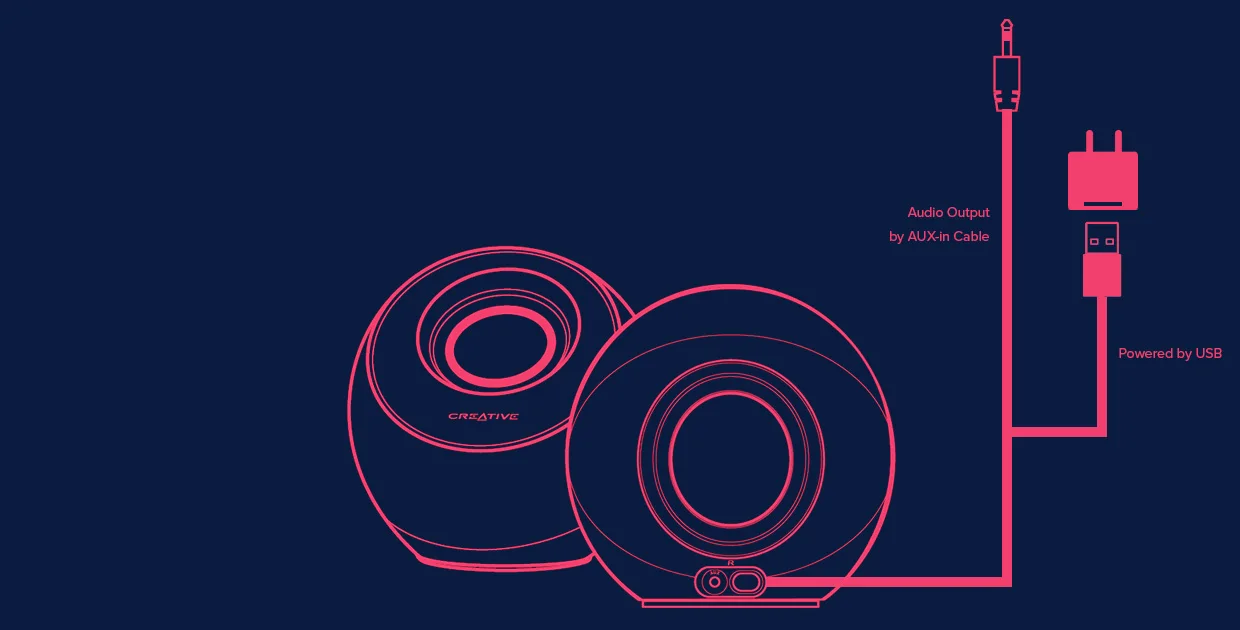
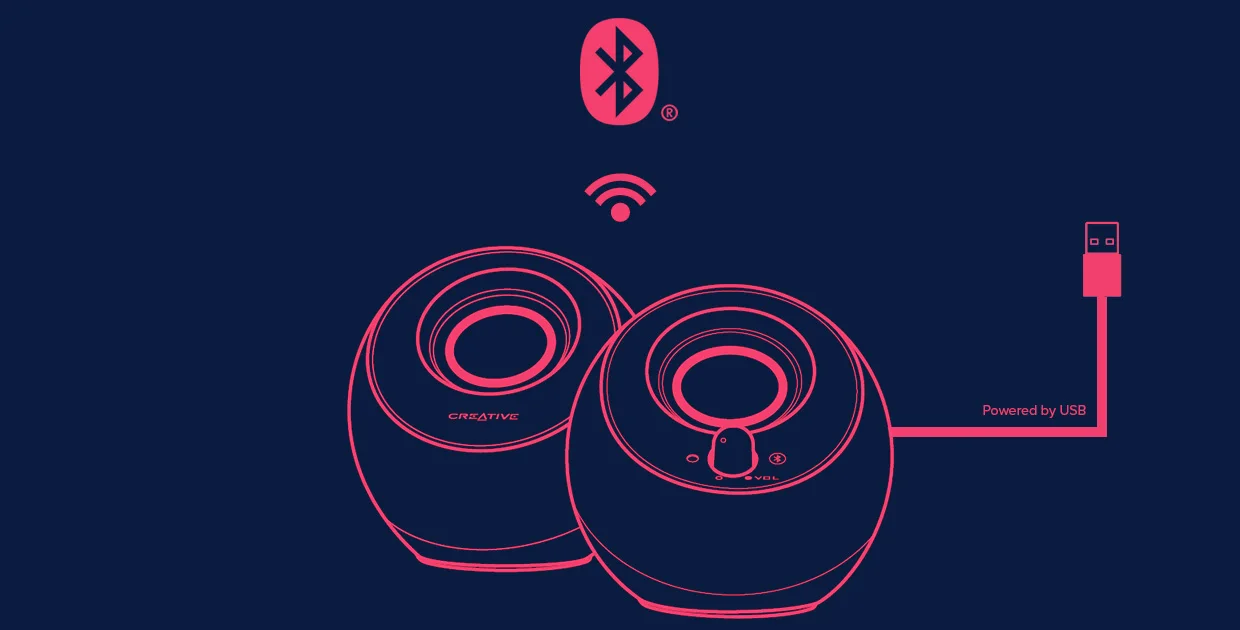
The black V3 pair supports USB audio, Bluetooth and a3.5mm auxiliary input. Bluetooth removes the audio connection to your phone, not the power connection: these are USB-powered desktop speakers, with no battery for taking music into the garden. Creative specifies an adequate5V2A supply for the higher-output mode. A wall power adapter and auxiliary cable are not supplied. This is research-based guidance, not a listening test.
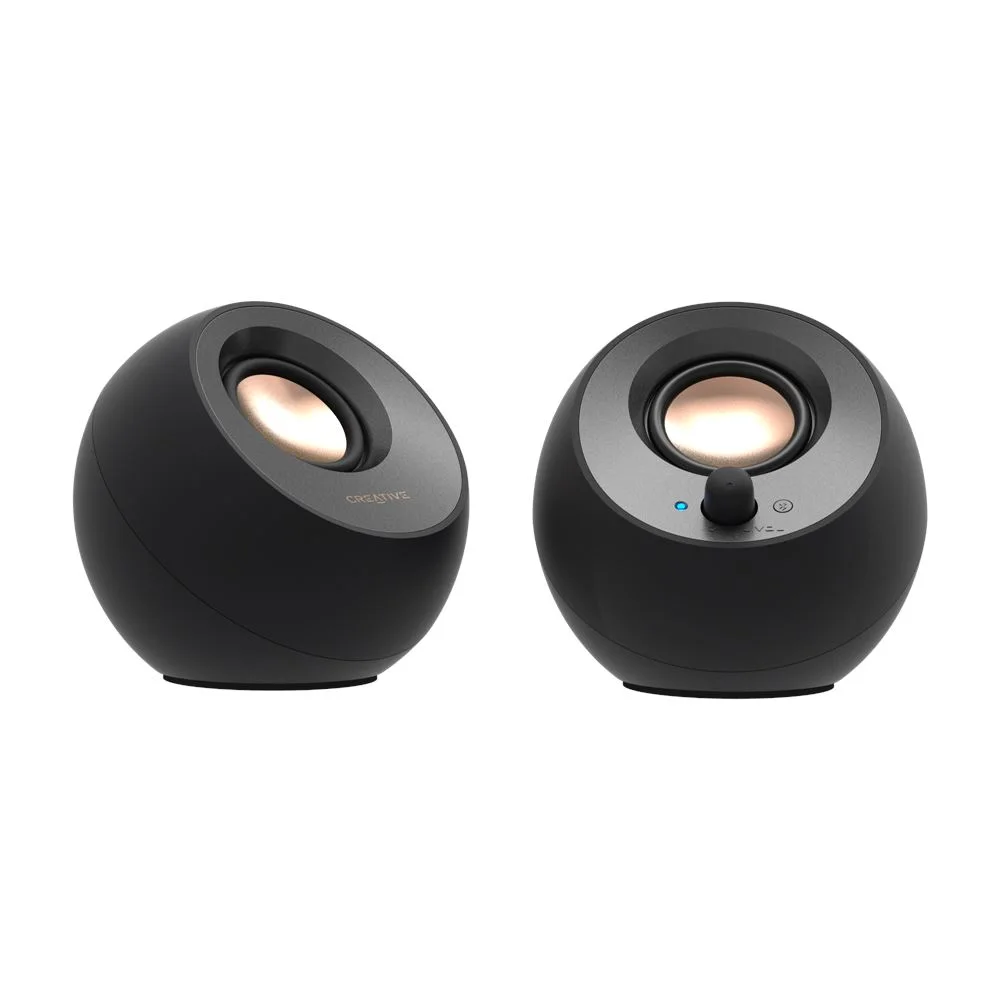
Side angle showing the upward-facing driver arrangement.
Photo: Creative · Manufacturer reference image. Side angle showing the upward-facing driver arrangement.

Before buying, picture the complete setup. Is there a convenient powered USB connection? Can the two speakers sit on either side of the screen without covering keyboard space? If your laptop has very few ports, the cost of another adapter may matter more than the appealingly small speaker bodies.
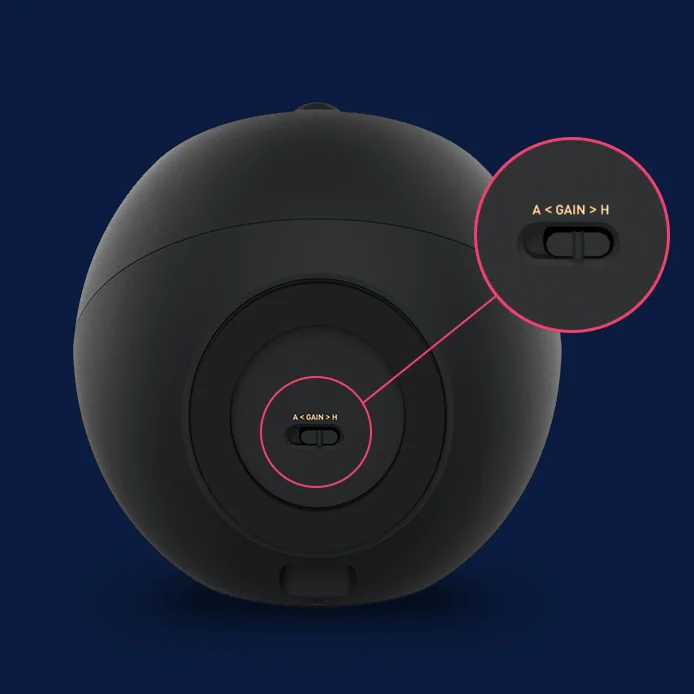
Manufacturer close-up identifying the high-gain switch and required power rating.
Photo: Creative · Manufacturer reference image. Manufacturer close-up identifying the high-gain switch and required power rating.

Make the listening position the priority

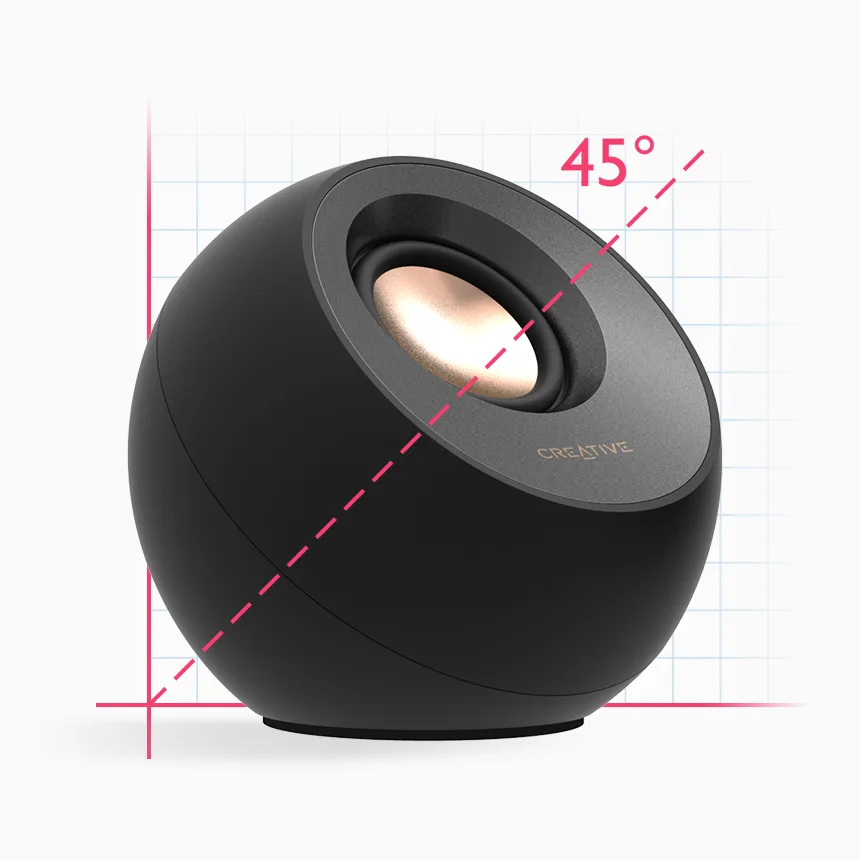
The drivers point upward at45degrees, which suits a seated listener with speakers below ear level. Keep their faces clear rather than tucking them behind a monitor. A2.0 pair also means no separate subwoofer: do not choose it on the assumption that a small desktop system will deliver room-shaking bass.
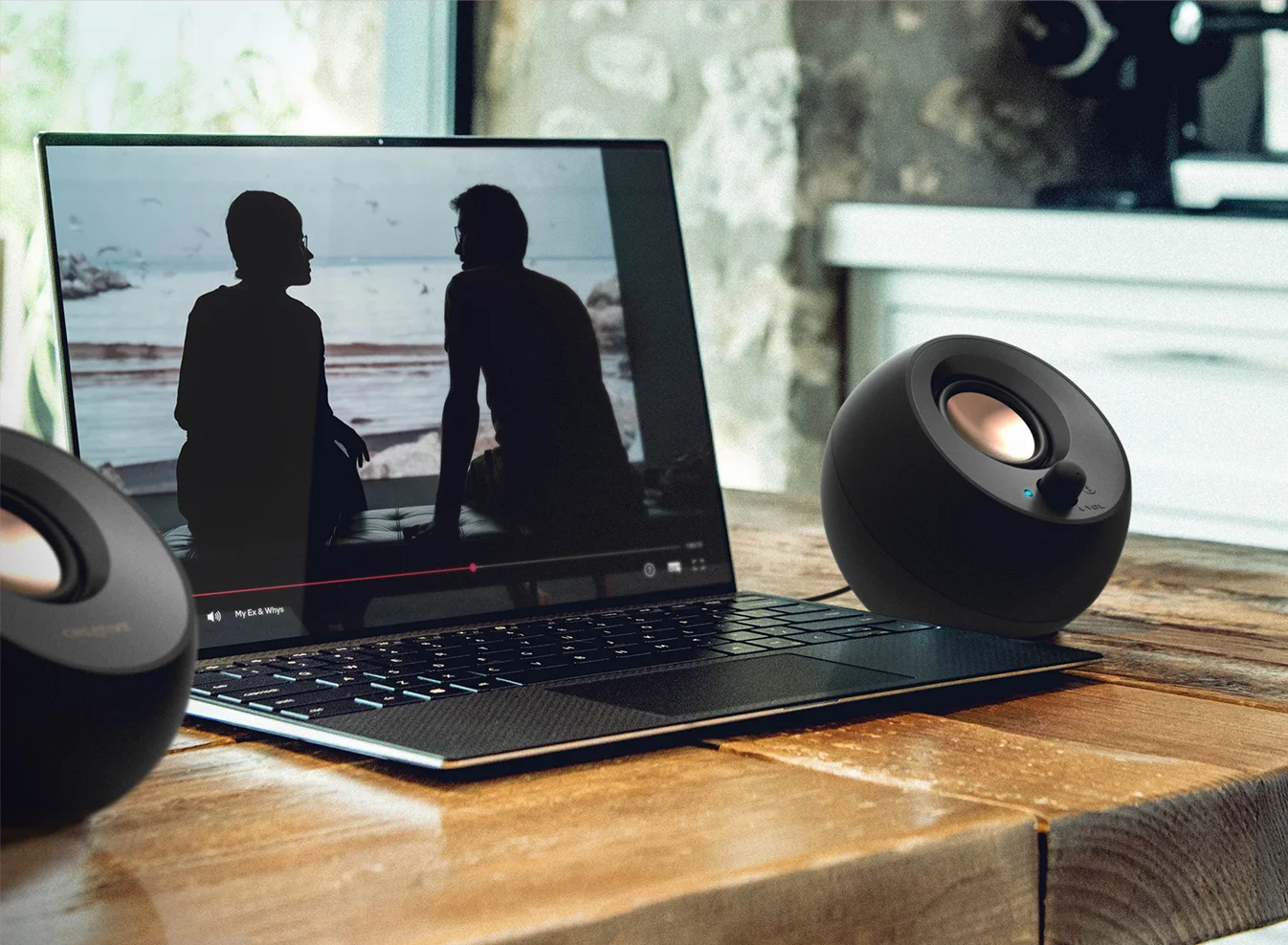
Reference laptop setup; the speakers still need USB power.
Photo: Creative · Manufacturer reference image. Reference laptop setup; the speakers still need USB power.

Choose the quiet upgrade, not an extra complication

Choose Pebble V3 when you want convenient music or spoken audio at one desk and can provide permanent power. Keep headphones for privacy in shared rooms; choose a battery speaker if portability is the actual need. Check that the listing says V3, not similarly named V2, Plus or Pro, and confirm the cable connections your particular computer can provide.
Manufacturer USB audio and power connection diagram.
Photo: Creative · Manufacturer reference image. Manufacturer USB audio and power connection diagram.
Bluetooth connection diagram with a separate USB power connection.
Photo: Creative · Manufacturer reference image. Bluetooth connection diagram with a separate USB power connection.
Auxiliary audio connection diagram; cable and external power adapter are not supplied.
Photo: Creative · Manufacturer reference image. Auxiliary audio connection diagram; cable and external power adapter are not supplied.
Forty-five-degree driver angle shown in the manufacturer diagram.
Photo: Creative · Manufacturer reference image. Forty-five-degree driver angle shown in the manufacturer diagram.

Ready to check availability?

Shop at Amazon

Paid link — we may earn a commission. Amazon may show a local match, an alternative or search results. Check the exact product, delivery and current price.

Evidence and sources

Research-based product guidance, not hands-on testing. Exact variant reviewed; price, stock, medical effects and international equivalence are not promised.