computer-mice

Logitech M185 Is the Simple Laptop Mouse With One Important Port Check

Sometimes the improvement you need is simply moving away from a cramped trackpad. The Swift Grey Logitech M185 is a compact, basic wireless mouse with an included USB-A nano receiver. Its appeal is familiar pointing and scrolling without a cable, not a long list of features to configure.

Findweave Editorial2 min read

Published

Shop at Amazon

Paid link — we may earn a commission. Amazon may show a local match, an alternative or search results. Check the exact product, delivery and current price.

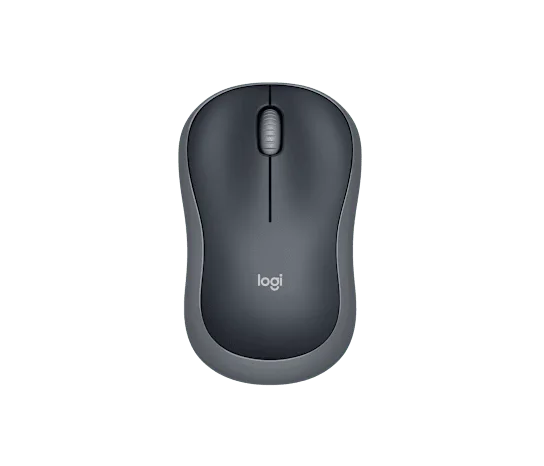
Swift Grey M185 with basic left, right and wheel controls.
Photo: Logitech · Manufacturer reference image

Some links are paid links: we may earn a commission from qualifying purchases. As an Amazon Associate I earn from qualifying purchases. How we earn money.

THE SHORT VERSION

Before you browse

  1. Compact symmetrical mouse with basic three-button control
  2. 2.4GHz USB-A receiver rather than Bluetooth
  3. Check USB-A availability; large hands may prefer a bigger shell

Sometimes the improvement you need is simply moving away from a cramped trackpad. The Swift Grey Logitech M185 is a compact, basic wireless mouse with an included USB-A nano receiver. Its appeal is familiar pointing and scrolling without a cable, not a long list of features to configure.

Check the laptop before the mouse

M185 uses its receiver rather than Bluetooth. That is convenient on a computer with a spare USB-A port, but less tidy on a USB-C-only laptop if it means carrying an adapter. Decide whether that extra connection fits your everyday bag before choosing on price alone.
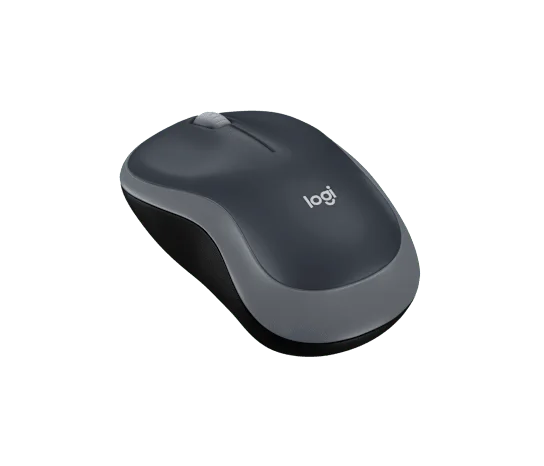
The compact symmetrical shell from a rear angle.
Photo: Logitech · Manufacturer reference image. The compact symmetrical shell from a rear angle.

The symmetrical shell can be used in either hand. Its compact shape is useful at a small desk or beside a laptop, although larger hands may want more support. The top photograph shows the uncomplicated controls: two main buttons and a scroll wheel, without a row of side shortcuts.
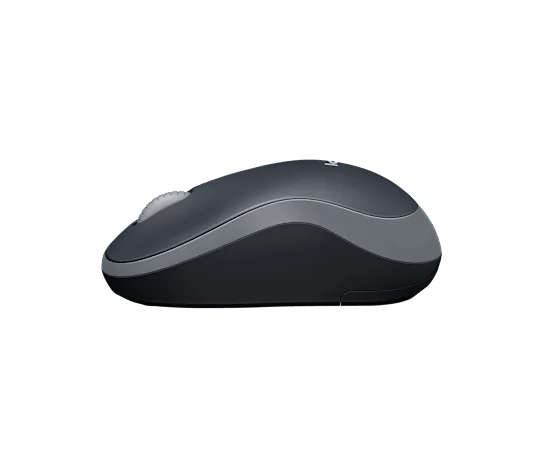
Side view for judging the low compact shape.
Photo: Logitech · Manufacturer reference image. Side view for judging the low compact shape.

A small backup can be a sensible upgrade

A mouse like this can live with the laptop you use for occasional bookings, home admin or study. The battery-powered design avoids remembering another charging cable, but you still need to switch it off for storage and replace the battery when required. Manufacturer battery-life estimates depend on use; they are not a calendar promise.
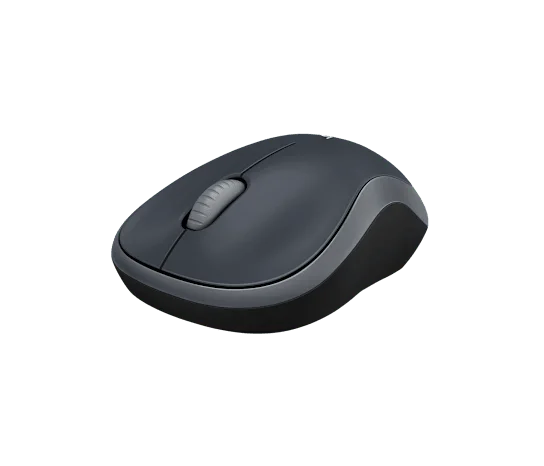
Front angle of the selected grey model; USB-A receiver connectivity, not Bluetooth.
Photo: Logitech · Manufacturer reference image. Front angle of the selected grey model; USB-A receiver connectivity, not Bluetooth.

Choose M185 if you have USB-A available and want a straightforward compact mouse. Skip it if Bluetooth pairing, quiet-click priorities, device switching or advanced buttons are your reason for upgrading. The most useful bargain is the one that fits your ports and hand without adding a new inconvenience.
Ready to check availability?

Shop at Amazon

Paid link — we may earn a commission. Amazon may show a local match, an alternative or search results. Check the exact product, delivery and current price.

Evidence and sources

Research-based product guidance, not hands-on testing. Exact variant reviewed; price, stock, medical effects and international equivalence are not promised.