keyboards

Logitech K950 Keeps a Full Number Pad Without Turning the Desk Into a Gaming Setup

A work keyboard does not have to look dramatic to make the desk easier to use. The graphite Logitech Signature Slim K950 keeps a full-size layout and laptop-style keys, while letting you switch among paired devices. It fits a quieter home-office setup where familiar key positions matter more than coloured lighting.

Findweave Editorial2 min read

Published

Shop at Amazon

Paid link — we may earn a commission. Amazon may show a local match, an alternative or search results. Check the exact product, delivery and current price.

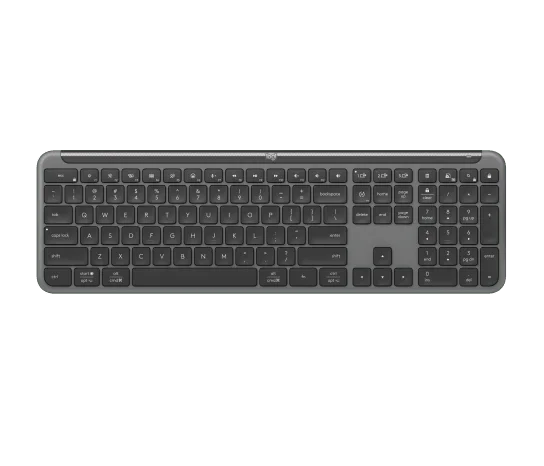
Graphite K950 in the pictured US layout, with a separate navigation cluster and number pad.
Photo: Logitech · Manufacturer reference image

Some links are paid links: we may earn a commission from qualifying purchases. As an Amazon Associate I earn from qualifying purchases. How we earn money.

THE SHORT VERSION

Before you browse

  1. Full-size layout with number pad and laptop-style keys
  2. Switch between three paired devices
  3. No backlighting; receiver and software requirements must suit the computer

A work keyboard does not have to look dramatic to make the desk easier to use. The graphite Logitech Signature Slim K950 keeps a full-size layout and laptop-style keys, while letting you switch among paired devices. It fits a quieter home-office setup where familiar key positions matter more than coloured lighting.

Think about the work you repeat

The separated number pad is the practical attraction for frequent totals, invoices and spreadsheet entry. The navigation cluster also avoids some of the compromises of a tightly packed travel keyboard. Measure the usable desk width, including the space your mouse needs, before choosing full-size purely for familiarity.
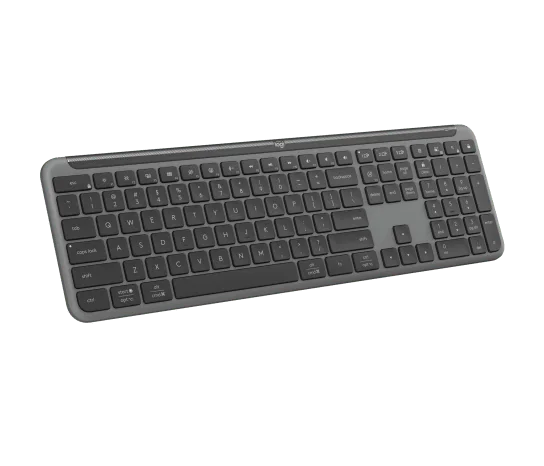
Front angle of the keyboard-only model.
Photo: Logitech · Manufacturer reference image. Front angle of the keyboard-only model.

The side photograph shows its shallow profile and tilt feet. Use that as a prompt to check your own hand position; opening the feet is an option, not automatically the most comfortable setting.
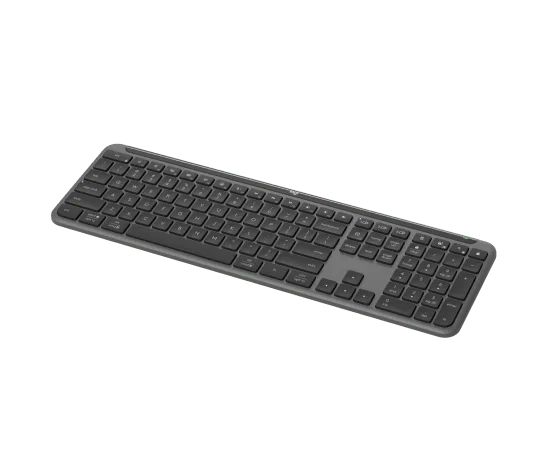
Angled view of the laptop-style keys.
Photo: Logitech · Manufacturer reference image. Angled view of the laptop-style keys.

Pay for the switching you will use

K950 can move typing among three paired devices. That makes a work computer and personal tablet easier to share, but does not make them one system. Check the chosen Bluetooth or receiver connection and current software support before depending on custom shortcuts. This keyboard is not compatible with every older Logitech receiver merely because the logo matches.
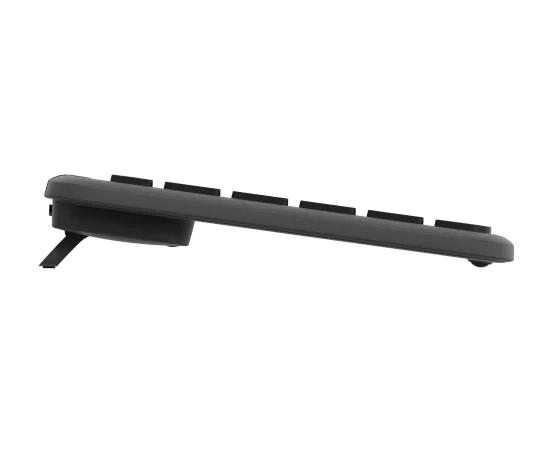
Tilt feet shown extended; adjust around your desk and hand position.
Photo: Logitech · Manufacturer reference image. Tilt feet shown extended; adjust around your desk and hand position.

There is no key backlighting, so a dim evening desk may be a reason to choose something else. The selected product is the K950 keyboard alone, not an MK950 keyboard-and-mouse combo.
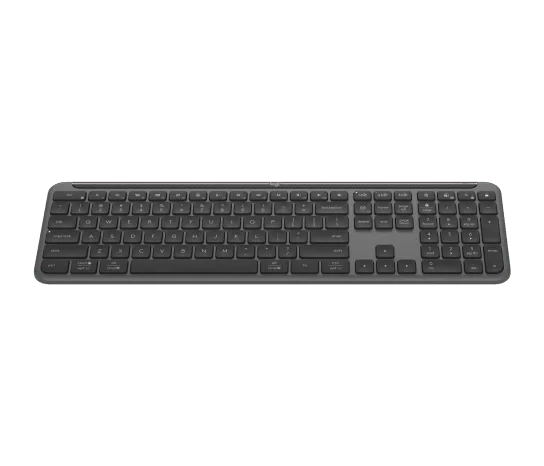
Low front view of the full-size K950.
Photo: Logitech · Manufacturer reference image. Low front view of the full-size K950.

Choose it for familiar full-size typing and useful device switching. If you mostly type on one laptop and want a small portable board, much of that footprint and flexibility may go unused.
Ready to check availability?

Shop at Amazon

Paid link — we may earn a commission. Amazon may show a local match, an alternative or search results. Check the exact product, delivery and current price.

Evidence and sources

Research-based product guidance, not hands-on testing. Exact variant reviewed; price, stock, medical effects and international equivalence are not promised.