portable-audio

Razer BlackShark V2 X: A Gaming Headset That Keeps the Connection Simple

Not every gaming purchase needs another charging cable and another wireless setting. The black BlackShark V2 X offers a more straightforward idea: put on the headset, connect the audio plug and keep a microphone close enough to talk to your team. For a shared desk or an occasional game night, that simplicity may be more useful than a longer feature list.

Findweave Editorial3 min read

Published

Shop at Amazon

Paid link — we may earn a commission. Amazon may show a local match, an alternative or search results. Check the exact product, delivery and current price.

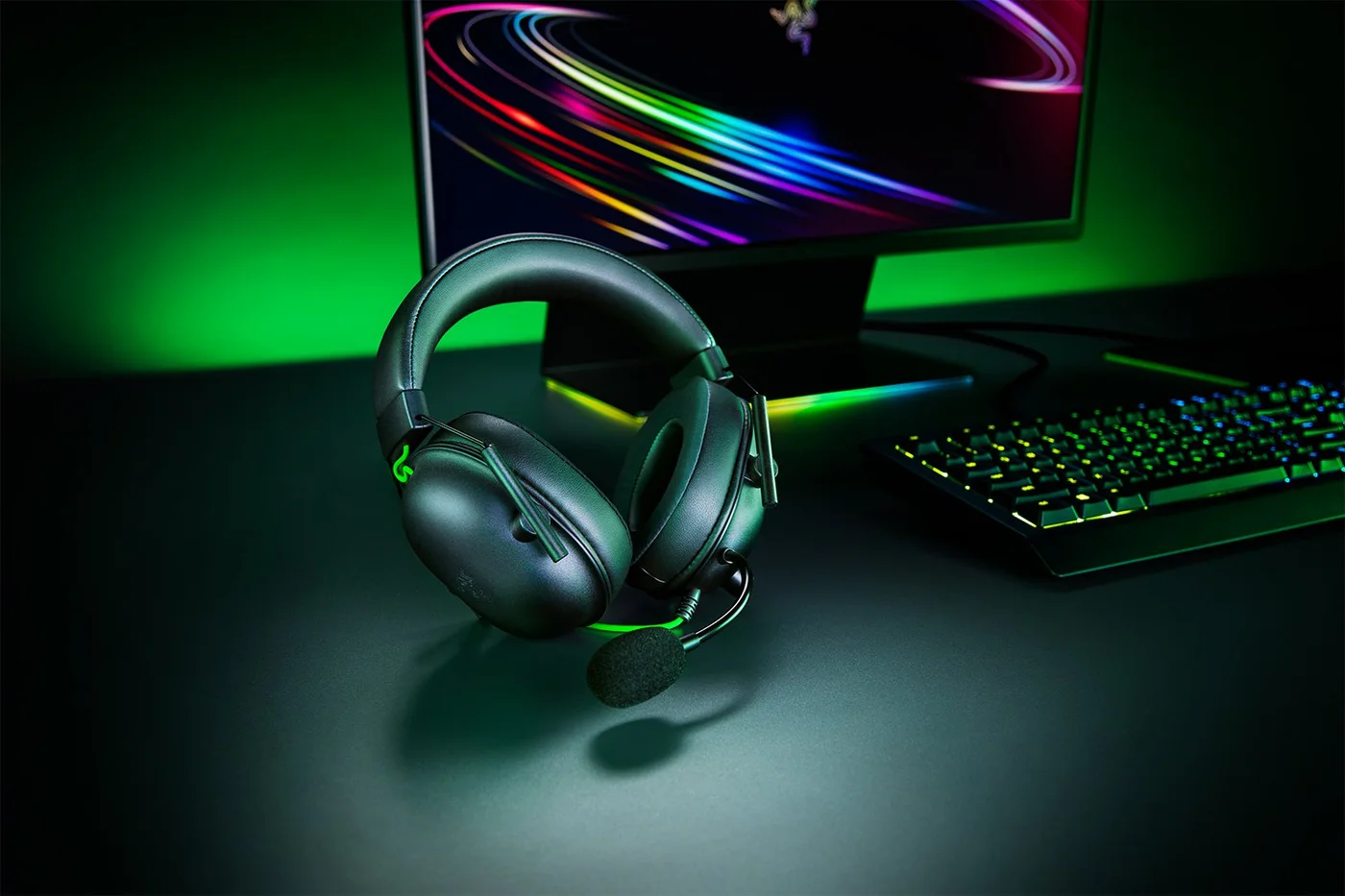
Black analog BlackShark V2 X beside a gaming keyboard; other desk equipment is separate.
Photo: Razer · Manufacturer reference image

Some links are paid links: we may earn a commission from qualifying purchases. As an Amazon Associate I earn from qualifying purchases. How we earn money.

THE SHORT VERSION

Before you browse

  1. 240 g wired over-ear headset with 50 mm TriForce drivers and a fixed cardioid microphone
  2. Analog 3.5 mm audio and microphone connection, on-earcup volume and mute controls; no charging or RGB
  3. Isolation is passive, not electronic active noise cancellation; optional surround software is platform-limited

Not every gaming purchase needs another charging cable and another wireless setting. The black BlackShark V2 X offers a more straightforward idea: put on the headset, connect the audio plug and keep a microphone close enough to talk to your team. For a shared desk or an occasional game night, that simplicity may be more useful than a longer feature list.

Check the socket before the sound promises

This is the analog 3.5 mm version. It is not the USB model, standard V2 or wireless V2 Pro. Look at the device you actually use: a suitable combined headset socket can carry audio and microphone signals together, while separate computer sockets may need an appropriate splitter. A phone without a headset socket needs a compatible adapter, not merely a familiar brand logo.

Manufacturer model wearing the black headset; this is not a FINDWEAVE hands-on test.
Photo: Razer · Manufacturer reference image. Manufacturer model wearing the black headset; this is not a FINDWEAVE hands-on test.

Basic analog compatibility and software surround sound are different questions. The optional surround feature has platform requirements; do not assume it will work through every console controller or on every operating system. Ordinary audio is the starting point, not a universal promise of virtual surround.
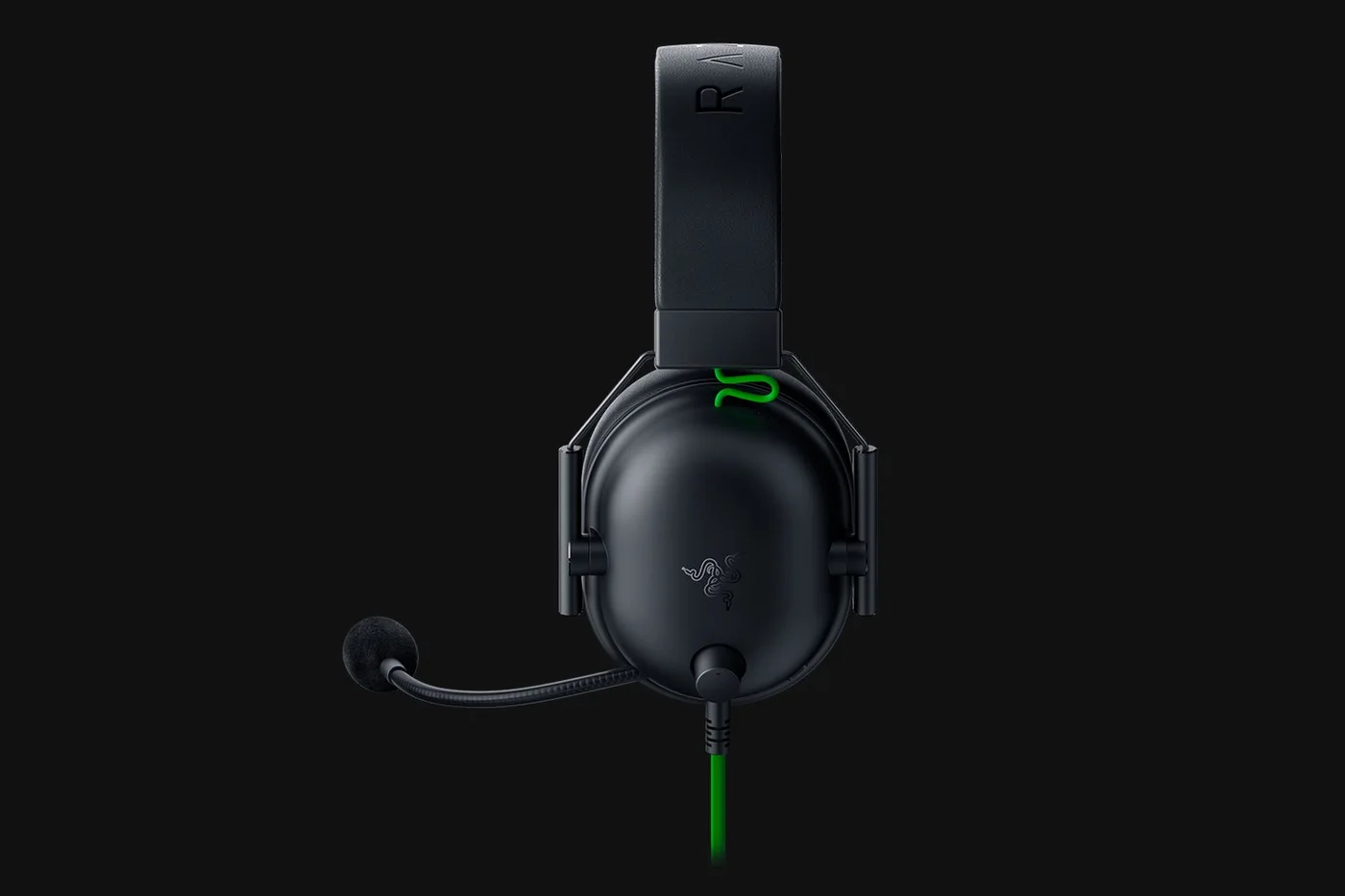
Side view shows the closed earcup and attached microphone arrangement.
Photo: Razer · Manufacturer reference image. Side view shows the closed earcup and attached microphone arrangement.

A microphone that stays attached

The fixed boom microphone is convenient if you regularly switch between listening and talking. It is less appealing if you want a clean-looking pair of headphones for travelling or listening away from a game. Earcup volume and microphone mute controls keep common adjustments close at hand.
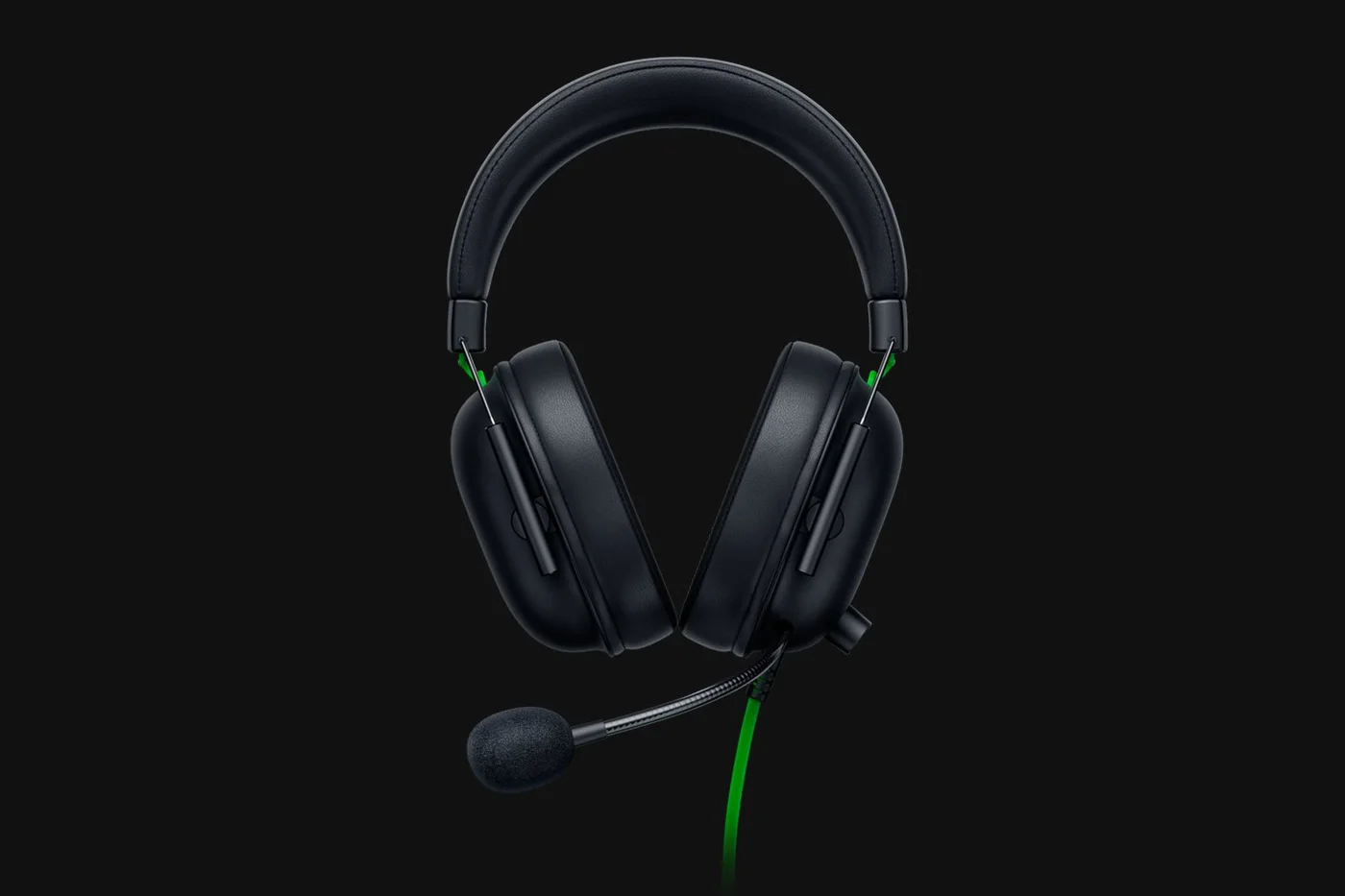
Front view of the cushions and padded adjustable headband.
Photo: Razer · Manufacturer reference image. Front view of the cushions and padded adjustable headband.

At a stated 240 g, it is a relatively light object to wear, but weight alone cannot predict comfort. Glasses, head shape, ear space and time worn all matter. Check the return conditions if you are buying without trying it; a different shape may suit you better even when the specifications look similar.
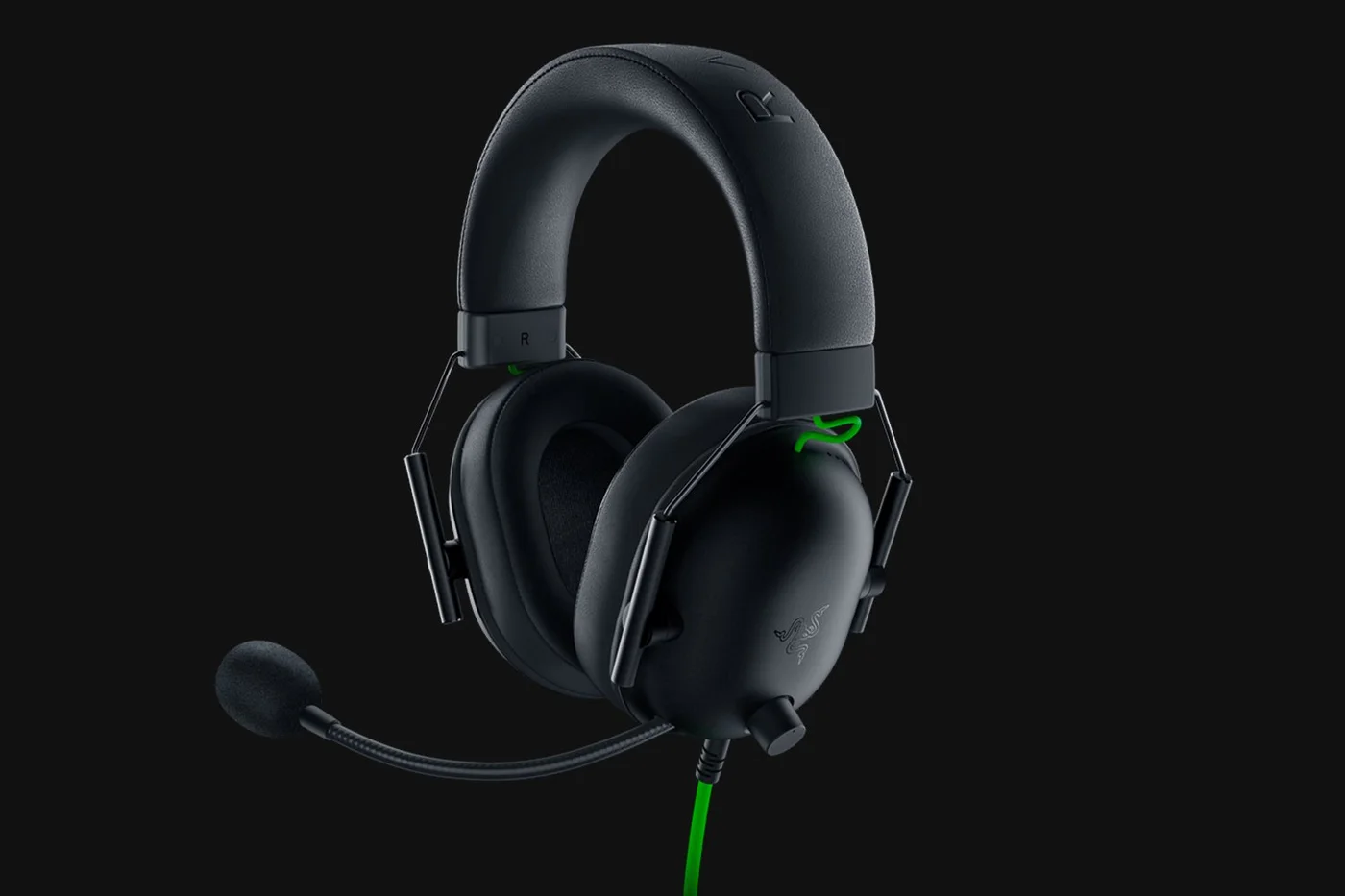
Angled view shows the fixed microphone boom and wired connection.
Photo: Razer · Manufacturer reference image. Angled view shows the fixed microphone boom and wired connection.

Isolation is not active noise cancellation

The closed cups and cushions provide passive isolation. There is no electronic ANC cancelling a fan, train or conversation. Similarly, a cardioid microphone design does not make a noisy room disappear. Place the microphone carefully and consider the room you will use before expecting equipment alone to solve background noise.
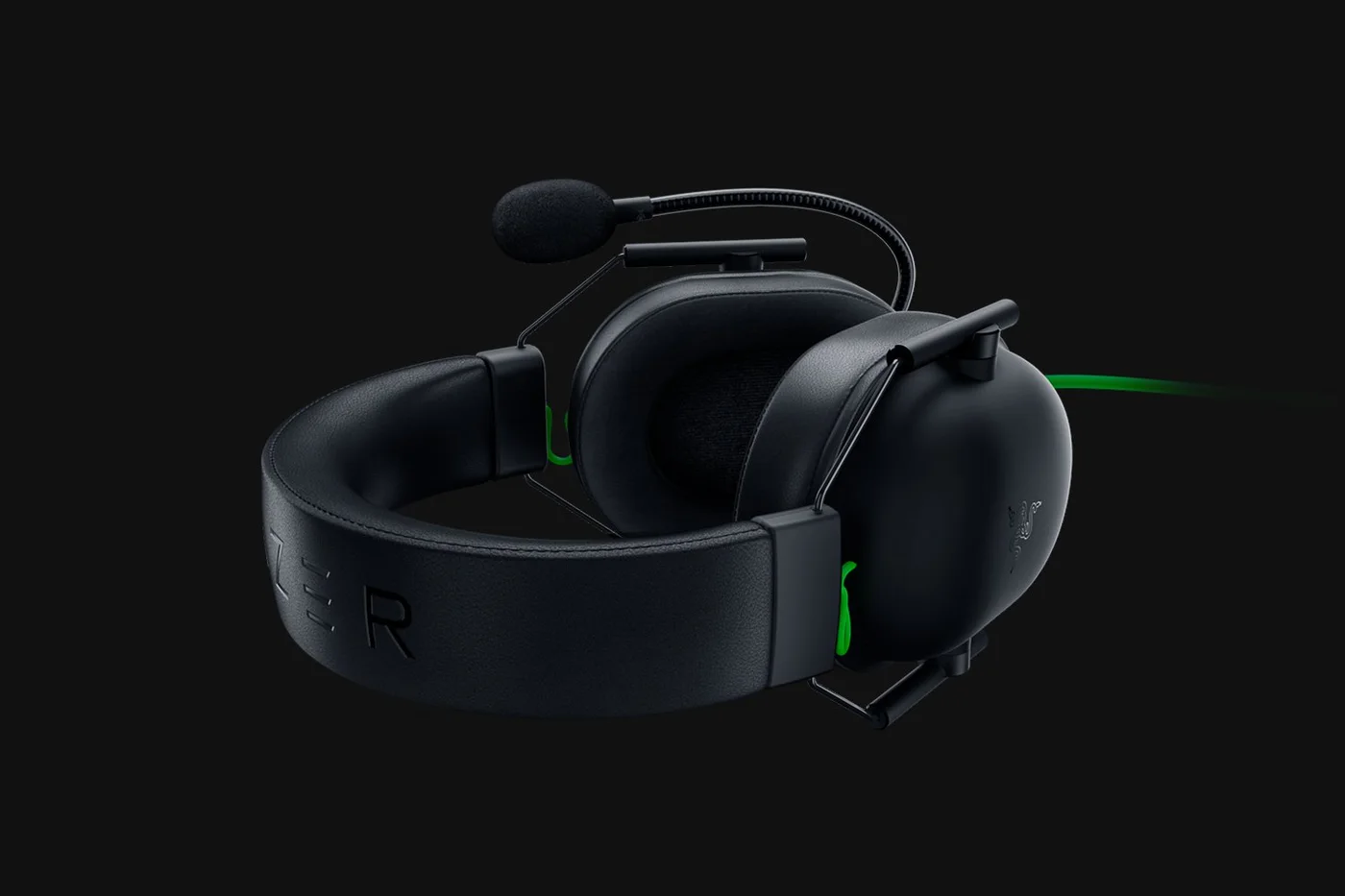
The black headset laid down; no wireless adapter or charging system is implied.
Photo: Razer · Manufacturer reference image. The black headset laid down; no wireless adapter or charging system is implied.

The 50 mm drivers are part of the design, not evidence from our own sound test. Choose this headset for a suitable 3.5 mm connection, attached microphone and straightforward controls. Skip it if wireless freedom, a removable mic or electronic noise cancellation is the requirement. The maker’s setup photographs include separate gaming equipment; the purchase is the headset. This is product research, not a claim that we played, recorded or measured audio with it.
Ready to check availability?

Shop at Amazon

Paid link — we may earn a commission. Amazon may show a local match, an alternative or search results. Check the exact product, delivery and current price.

Evidence and sources

Research-based product guidance, not hands-on testing. Exact variant reviewed; price, stock, medical effects and international equivalence are not promised.