power-banks

Anker A1695 25K Power Bank: A Spare Laptop Session, with the Cables Already Attached

A train seat with no working socket is a good place to discover what a laptop power bank is really for. Anker's A1695 puts a 25,000mAh battery, two attached USB-C cables and a live display into one substantial block. It can reduce the loose-cable search, but it still adds another object to carry and recharge.

Findweave Editorial2 min read

Published

Shop at Amazon

Paid link — we may earn a commission. Amazon may show a local match, an alternative or search results. Check the exact product, delivery and current price.

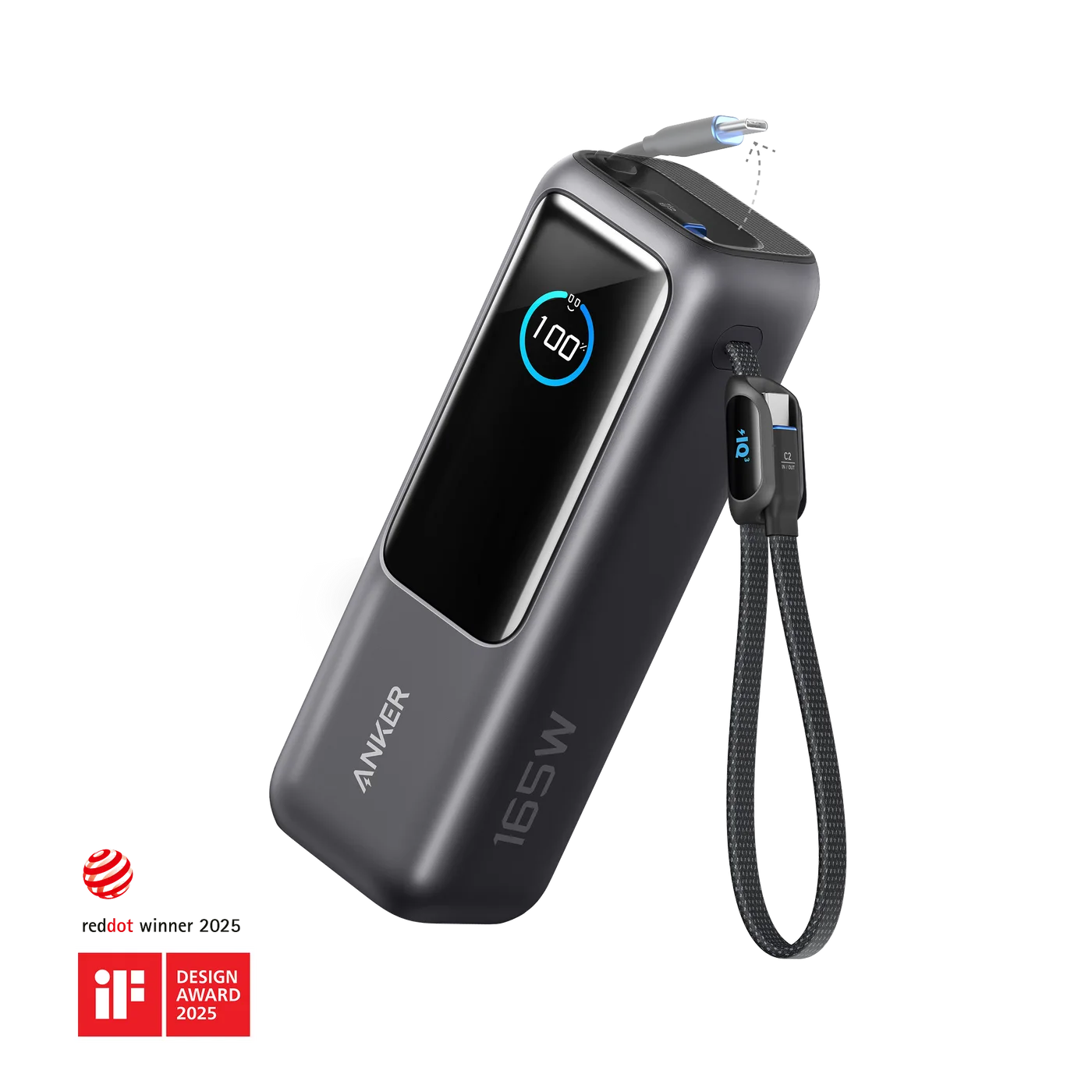
The black A1695 shows its display and attached cable loop.
Photo: Anker · Manufacturer reference image

Some links are paid links: we may earn a commission from qualifying purchases. As an Amazon Associate I earn from qualifying purchases. How we earn money.

THE SHORT VERSION

Before you browse

  1. 25,000mAh,built-inretractableandfixedUSB-Ccables plusUSB-C/USB-Aports
  2. Up to165Wtwo-device total;130Wmaximumwhen3/4devicesconnect
  3. Not165Wperdevice;checkcables/laptopneedsandairlinecurrentbatteryrules

A train seat with no working socket is a good place to discover what a laptop power bank is really for. Anker’s A1695 puts a 25,000mAh battery, two attached USB-C cables and a live display into one substantial block. It can reduce the loose-cable search, but it still adds another object to carry and recharge.

The attached cables are the everyday difference

One cable retracts into the body; the other stays attached and forms a carrying loop in the manufacturer’s photographs. Together with the additional USB-C and USB-A sockets, they give you several ways to connect. Check cable reach and your device’s port location: a shorter captive lead is less flexible than a separate long cable when the battery needs to sit somewhere stable.
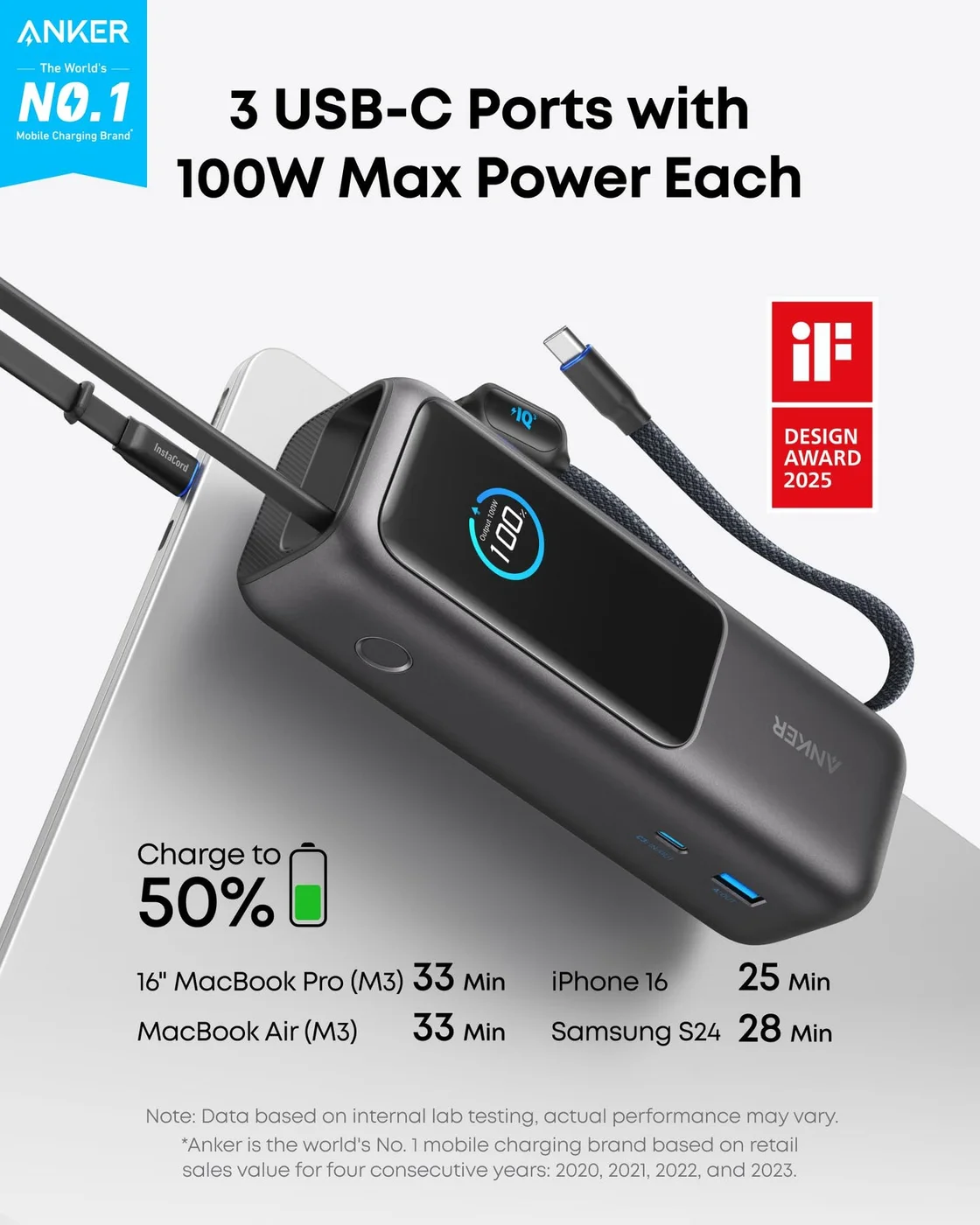
The manufacturer's power diagram indicates up-to-100W USB-C paths; the total is shared, not 100W for every device simultaneously.
Photo: Anker · Manufacturer reference image. The manufacturer's power diagram indicates up-to-100W USB-C paths; the total is shared, not 100W for every device simultaneously.

The display provides information about charging, not an invitation to leave the battery in a place where it can overheat. Follow the supplied use instructions, keep cables free of unnecessary strain and inspect them for damage. An integrated cable is convenient until it becomes the part you most wish you could replace.
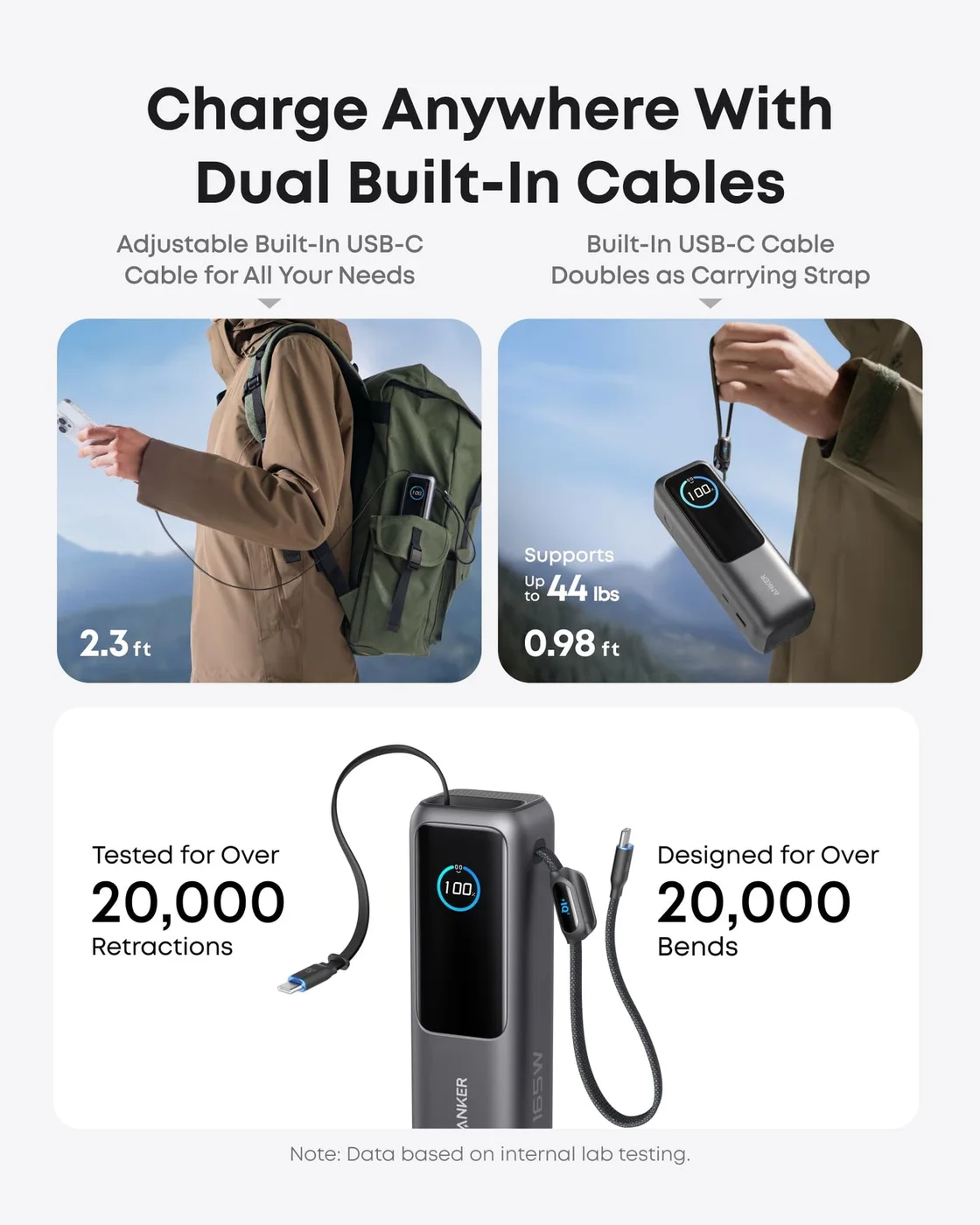
Two attached USB-C cables illustrate the retractable and loop arrangements; durability figures are maker claims.
Photo: Anker · Manufacturer reference image. Two attached USB-C cables illustrate the retractable and loop arrangements; durability figures are maker claims.

Read 165W as a shared ceiling

The maker specifies up to 100W from an individual USB-C connection, with up to 165W shared by two devices. Its note reduces the maximum to 130W when three or four devices are connected. That matters more than simply counting four charging paths. Compare your actual laptop requirement and the other device’s demand before expecting the illustrated multi-device setup to work at maximum speed.
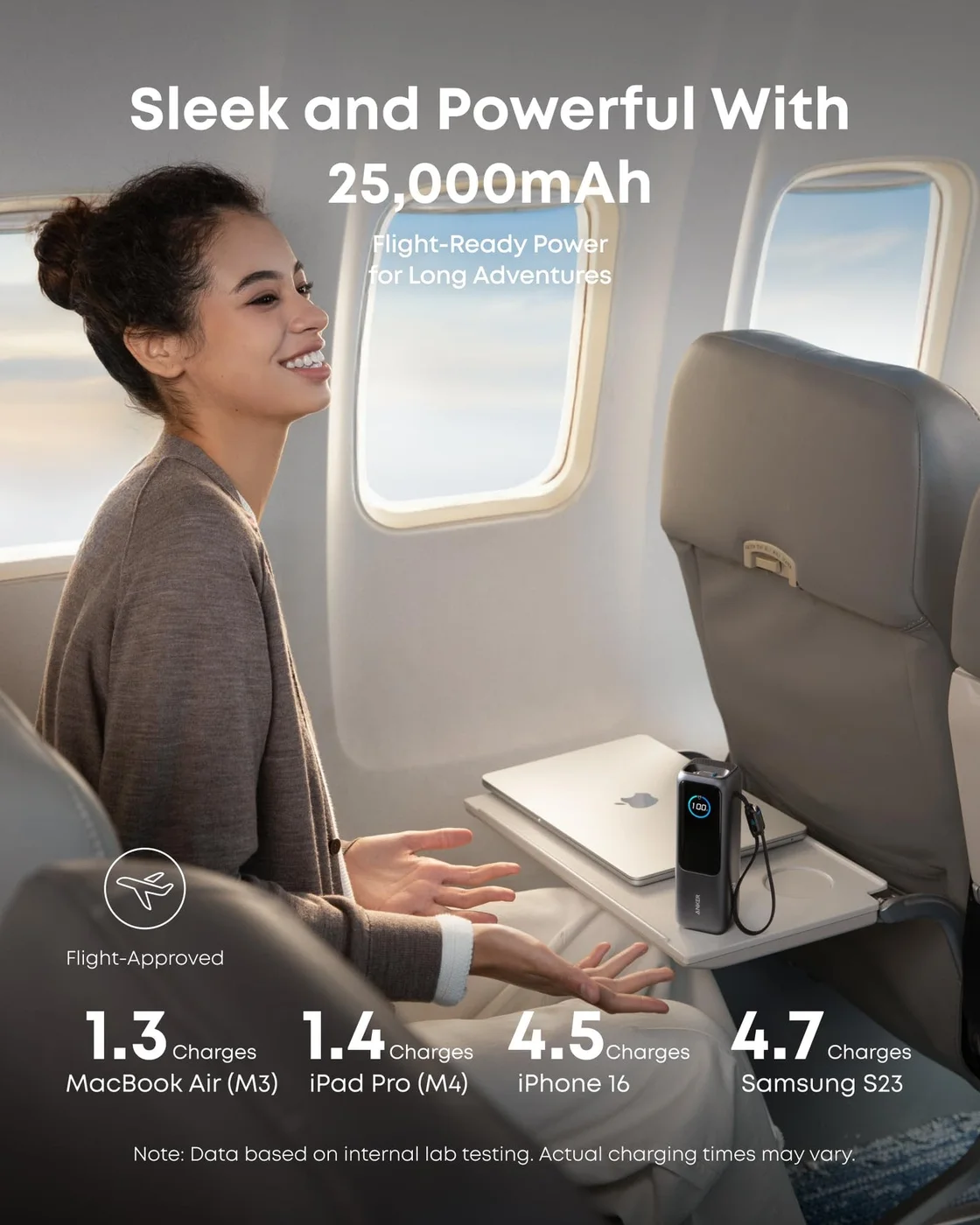
A travel scene illustrates carrying the battery; full-charge and flight claims are not independently verified here.
Photo: Anker · Manufacturer reference image. A travel scene illustrates carrying the battery; full-charge and flight claims are not independently verified here.

Capacity is also not the same as energy delivered into a laptop. Conversion losses and how hard the laptop is working affect the result; we have not measured full charges or runtime.
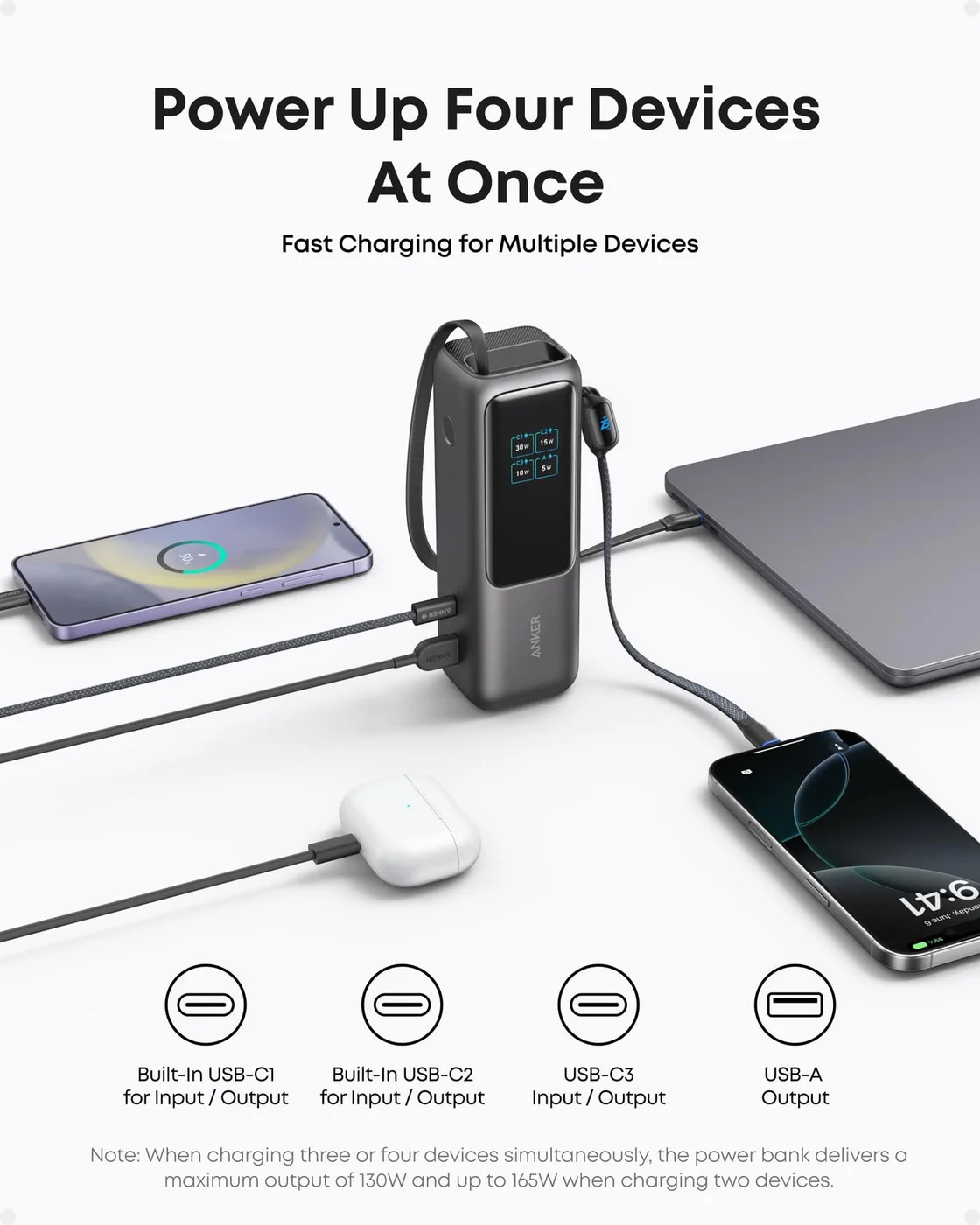
Four charging paths are shown; Anker specifies a lower 130W shared ceiling when three or four devices connect.
Photo: Anker · Manufacturer reference image. Four charging paths are shown; Anker specifies a lower 130W shared ceiling when three or four devices connect.

Does the extra block earn its place?

Choose A1695 for travel or mobile work where a laptop and phone need meaningful backup power and attached cables save hassle. Skip it for light phone-only top-ups if a smaller battery already does the job. Before flying, check the battery’s watt-hour label and the airline’s current carry-on and use requirements rather than relying on a flight-themed product image.
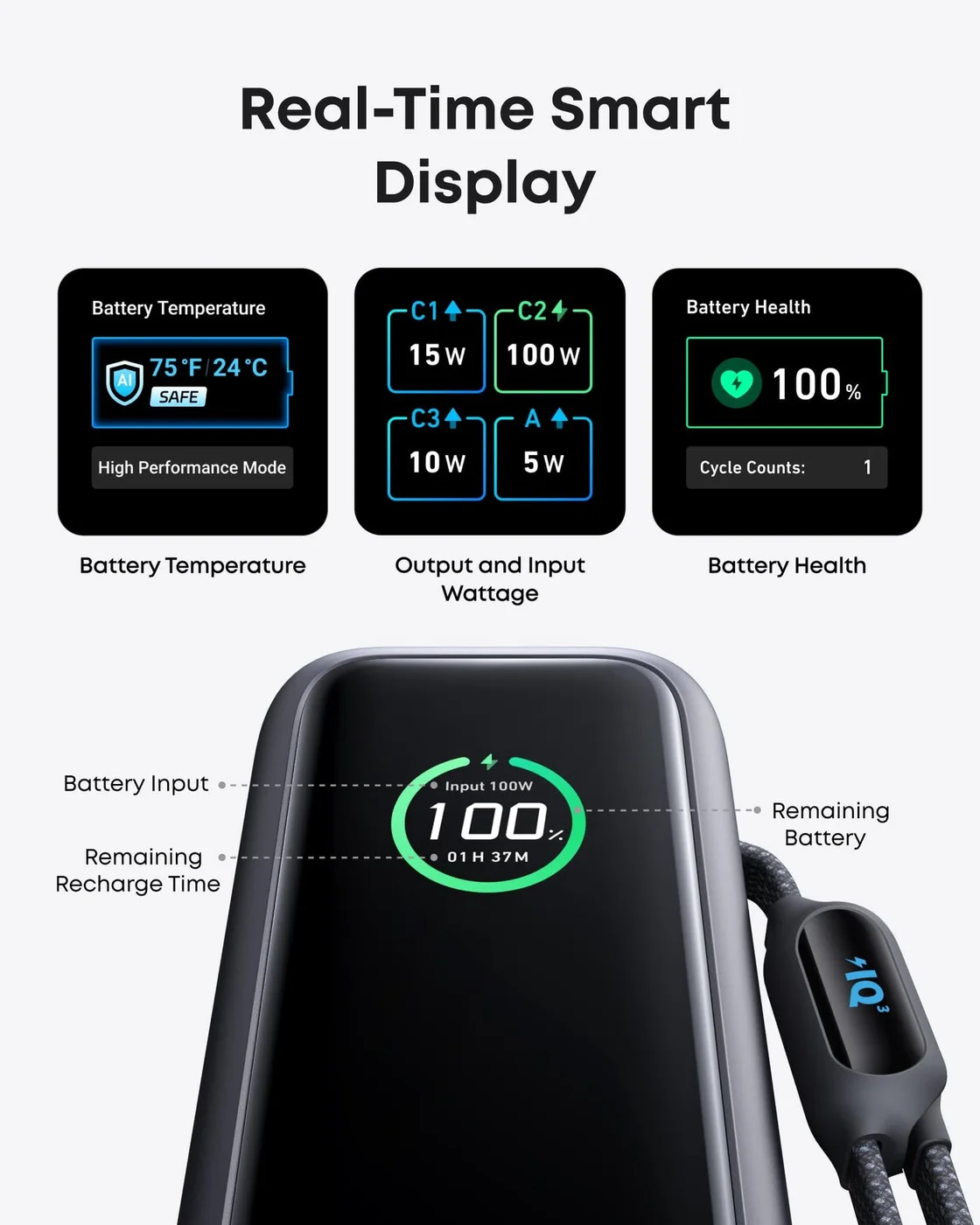
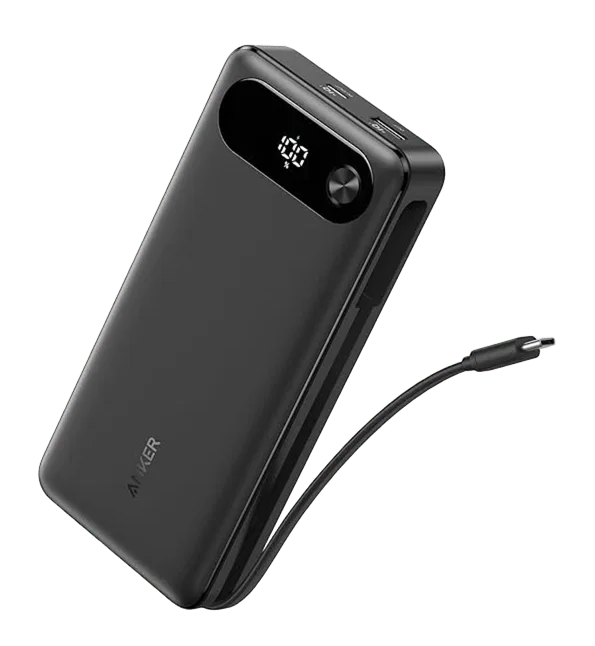
The smart display illustration shows the charging information available to the user.
Photo: Anker · Manufacturer reference image. The smart display illustration shows the charging information available to the user.

Ready to check availability?

Shop at Amazon

Paid link — we may earn a commission. Amazon may show a local match, an alternative or search results. Check the exact product, delivery and current price.

Evidence and sources

Research-based product guidance, not hands-on testing. Exact variant reviewed; price, stock, medical effects and international equivalence are not promised.