The meeting starts in another room. You can take a laptop under one arm, collect a charger and mouse in the other hand, and hope nothing slides out. Or you can move the few things that make the laptop useful as one kit.
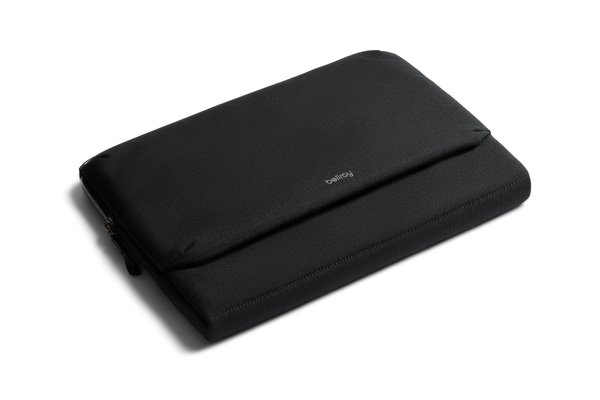
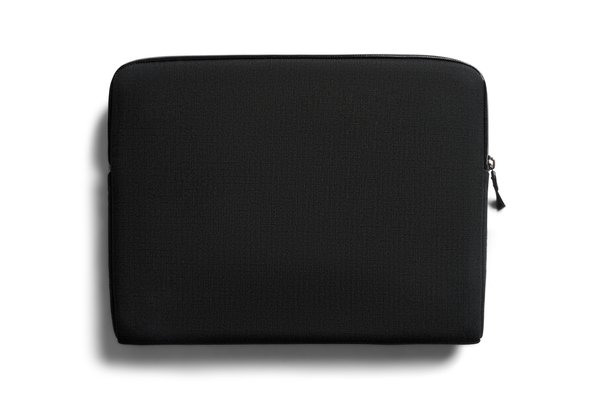
That is the clearest case for the Bellroy Laptop Caddy. It combines a padded device sleeve with an accessory compartment that folds open. It is less convincing as a universal replacement for a bag: a sleeve full of technology still needs to be carried, and a large charger can make a slim-looking object much thicker. This is a researched guide, not a claim of hands-on use or drop testing.
Measure the laptop you own, including its case
Bellroy offers size options described for laptops up to 14 inches and up to 16 inches. Those labels are helpful starting points, not a substitute for the manufacturer’s fit guide. Screen size does not describe the outside edges or thickness of the computer.
Measure the machine with any hard shell that remains attached. Check the actual size option in the retailer selector, then the fit guidance for that option. Do not assume two laptops with the same display diagonal will behave identically in a padded sleeve. A fit that depends on forcing the zipper is not a fit worth paying for.
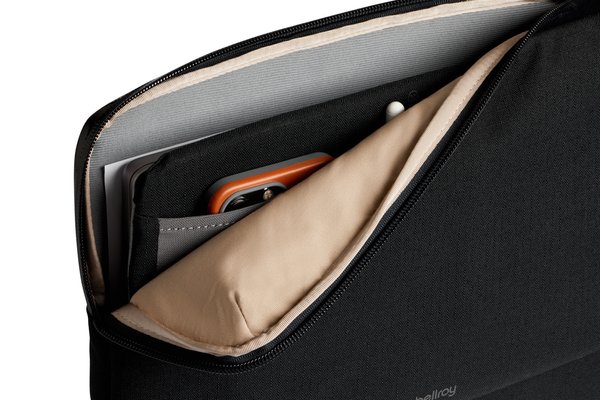
The charger determines the useful packed shape
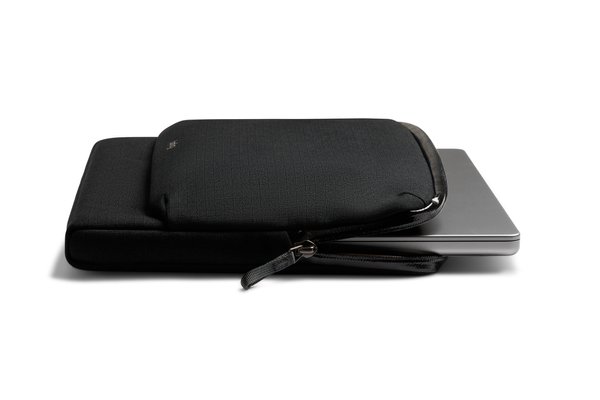
The front accessory area is the feature that separates this from a plain sleeve. Bellroy lists stretch mesh storage pockets, pen slips and additional space for bulkier objects. The product photographs show a charger and smaller accessories arranged where they can be seen.
Now compare those objects with your own. A compact power adapter and a large power brick with a thick mains cable create different profiles. Folding plug pins may also matter. Lay your equipment out before buying, including the cable you actually use rather than a conveniently short substitute. If the front becomes thick, the Caddy may no longer slide easily into the laptop compartment of your main backpack.
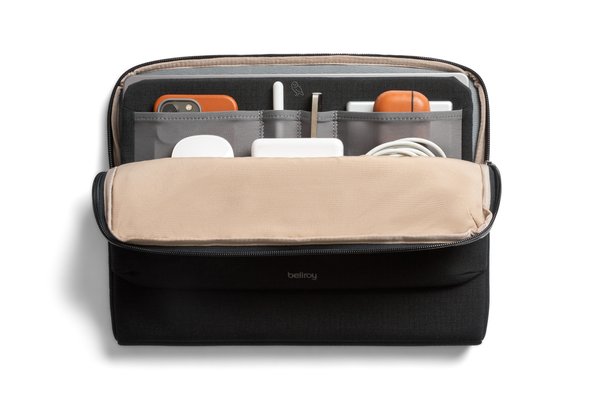
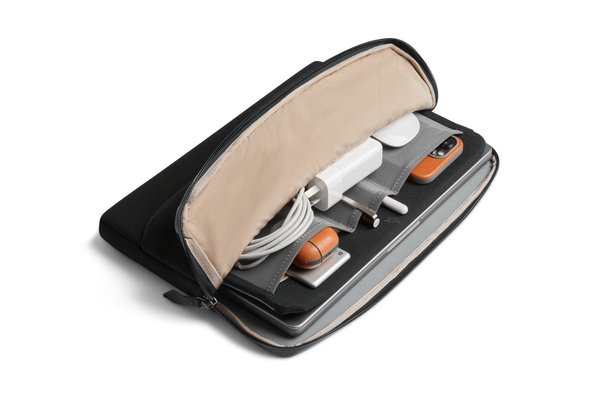
Decide whether it replaces an organizer or duplicates one
If your charger, mouse and cable currently travel in a separate pouch, this design may consolidate them with the laptop. That can reduce the number of pieces you gather when changing desks. But if you already need a larger tech kit for adapters, camera accessories and multiple devices, the Caddy may become another layer of organization rather than a replacement.
Make two piles: items required every time the laptop moves, and items needed only occasionally. The first is the plausible Caddy load. The second can stay elsewhere. Carrying every adapter into every meeting defeats the appeal of a grab-and-go working kit. Our Tech Kit guide considers the separate-organizer approach.
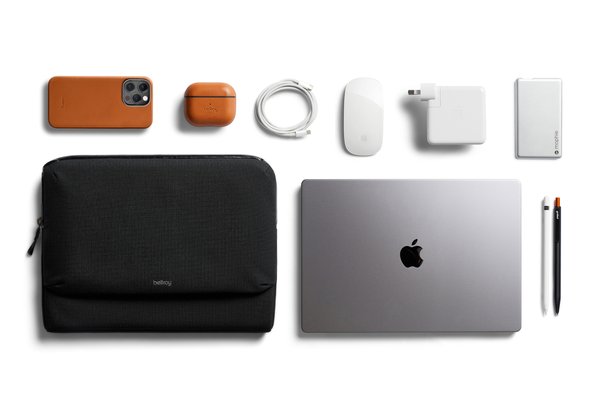
A desk accessory and a commuter bag solve different journeys
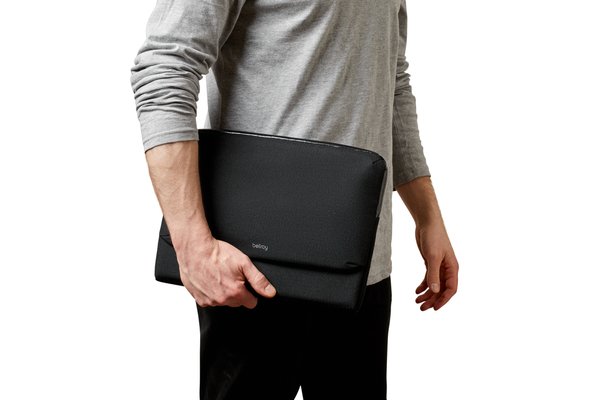
The hand-carry photograph makes the intended scale of the object easy to understand. It also makes the limitation visible: your hand is occupied. For walking between rooms, that may be fine. For a long commute with an umbrella, lunch and a bottle, it does not replace the carrying system of a bag.
If you plan to put it inside another bag, measure that compartment too. You need room for the padded device section and the front accessory load, not just the laptop. If you plan to carry it by itself, decide where your phone, keys and non-tech essentials will go. A more organized sleeve should not accidentally force you to add a second bag for everything else.
Padded and water-resistant are limited descriptions
Bellroy describes a foam-padded laptop area, soft-touch lining, and water-resistant fabric and zip. Those are useful construction details. We have not established drop protection, abrasion life or weather performance, and none of those descriptions should be converted into a waterproof guarantee.
Keep liquids separate and protect the device appropriately for the journey. Also avoid treating a filled accessory compartment as cushioning: hard plugs are objects to manage, not impact protection. The product is best evaluated as an organized carrying sleeve, not a substitute for an independently tested protective case.
A no-purchase rehearsal tells you whether it is worthwhile
For one working day, keep your laptop’s essential accessories together beside your existing sleeve. Take that exact kit each time you change location. Note what you use, what you forget, and which object makes the kit awkward to carry.
If the same small set moves repeatedly, the Laptop Caddy has a persuasive job. If most accessories stay on your desk, a plain sleeve may already be enough. If the full kit is heavy or awkward, a compact work bag may solve more than a thicker sleeve.
Our Laptop Caddy product notes link to the size selector and current retailer details. Order only after checking both the device and the accessory load. The reward should be fewer loose pieces at the next meeting—not a beautifully organized object that no longer fits your bag.