computer-mice

Razer DeathAdder V3 Wired: Go Lighter Without Adding a Charging Routine

There is a particular kind of desk upgrade that makes sense without adding another charger: a lighter mouse with a cable. The black wired Razer DeathAdder V3 is aimed at that decision. Its 59-gram body and reshaped right-handed shell offer a different proposition from both the older Essential and the wireless V3 Pro. The question is whether its shape and cable suit your play—not whether 30,000 DPI sounds impressive.

Findweave Editorial3 min read

Published

Shop at Amazon

Paid link — we may earn a commission. Amazon may show a local match, an alternative or search results. Check the exact product, delivery and current price.

Manufacturer desk scene showing the wired DeathAdder V3; this is a reference photograph, not a Findweave test.
Photo: Razer · Manufacturer reference image

Some links are paid links: we may earn a commission from qualifying purchases. As an Amazon Associate I earn from qualifying purchases. How we earn money.

THE SHORT VERSION

Before you browse

  1. 59 g right-handed wired mouse with a Focus Pro 30K optical sensor and third-generation optical switches
  2. Supports up to 8,000 Hz wired polling with a default 1,000 Hz setting; host and game performance still matter
  3. Speedflex cable and six programmable buttons; no battery or wireless mode

There is a particular kind of desk upgrade that makes sense without adding another charger: a lighter mouse with a cable. The black wired Razer DeathAdder V3 is aimed at that decision. Its 59-gram body and reshaped right-handed shell offer a different proposition from both the older Essential and the wireless V3 Pro. The question is whether its shape and cable suit your play—not whether 30,000 DPI sounds impressive.

The photographs show the real fit question

Notice the raised arch, separated main-button covers and thumb-button position. This is a mid-to-large right-handed design rather than a pocket-sized mouse. If you want palm support while reducing the weight you move across the mat, it is worth considering. If your current small mouse feels ideal, do not assume the V3 name guarantees a better grip. Comfort is individual, and these images cannot replace trying the shape.
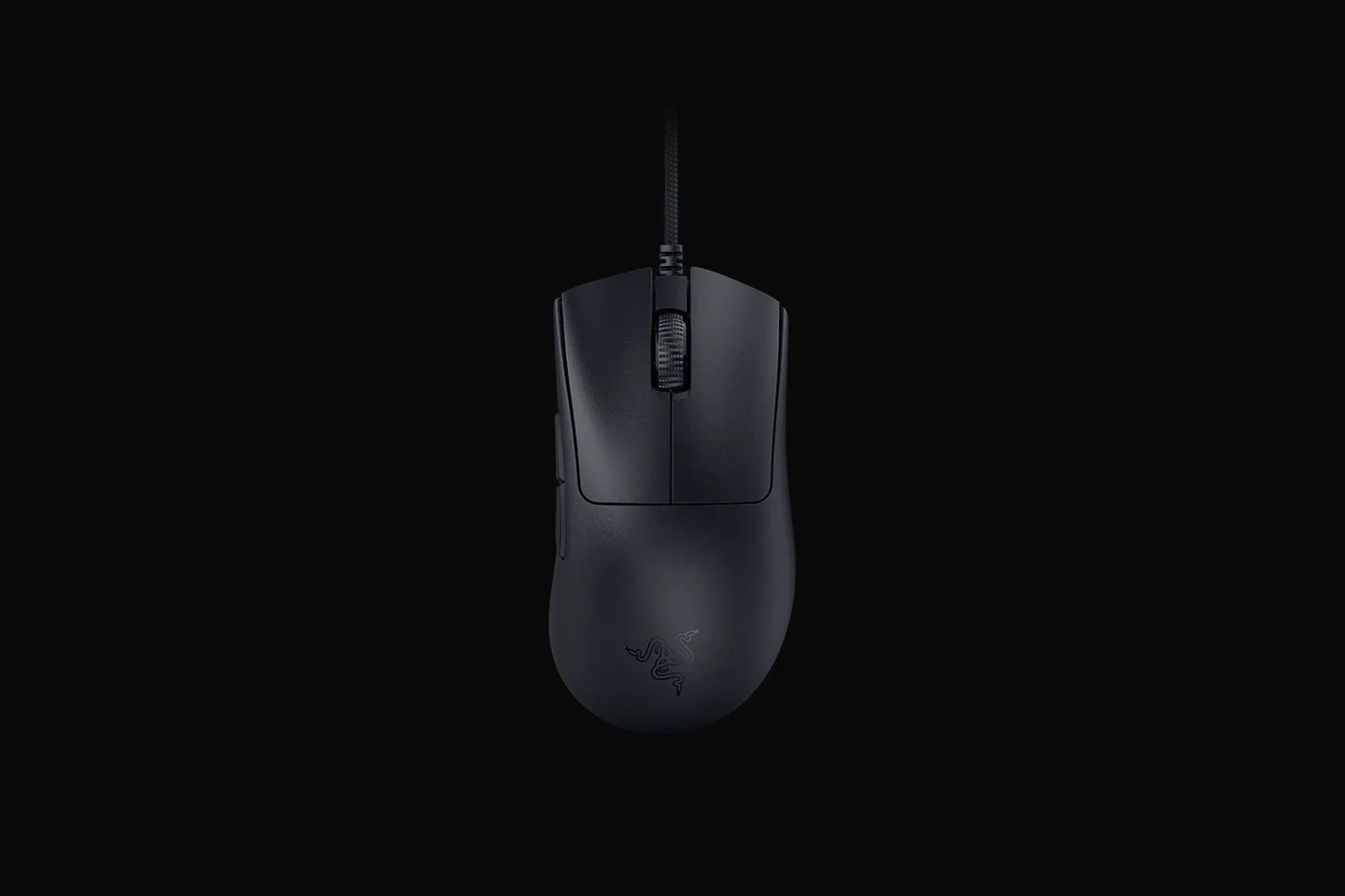
Overhead view of the black wired V3 and its separated primary button covers.
Photo: Razer · Manufacturer reference image. Overhead view of the black wired V3 and its separated primary button covers.

What the lighter wired design changes

There is no battery level to watch and no receiver to leave in another laptop. The Speedflex cable remains part of the setup, however. Route it with some slack and keep it from dragging over the desk edge; removing battery maintenance does not remove the need for a sensible cable path.
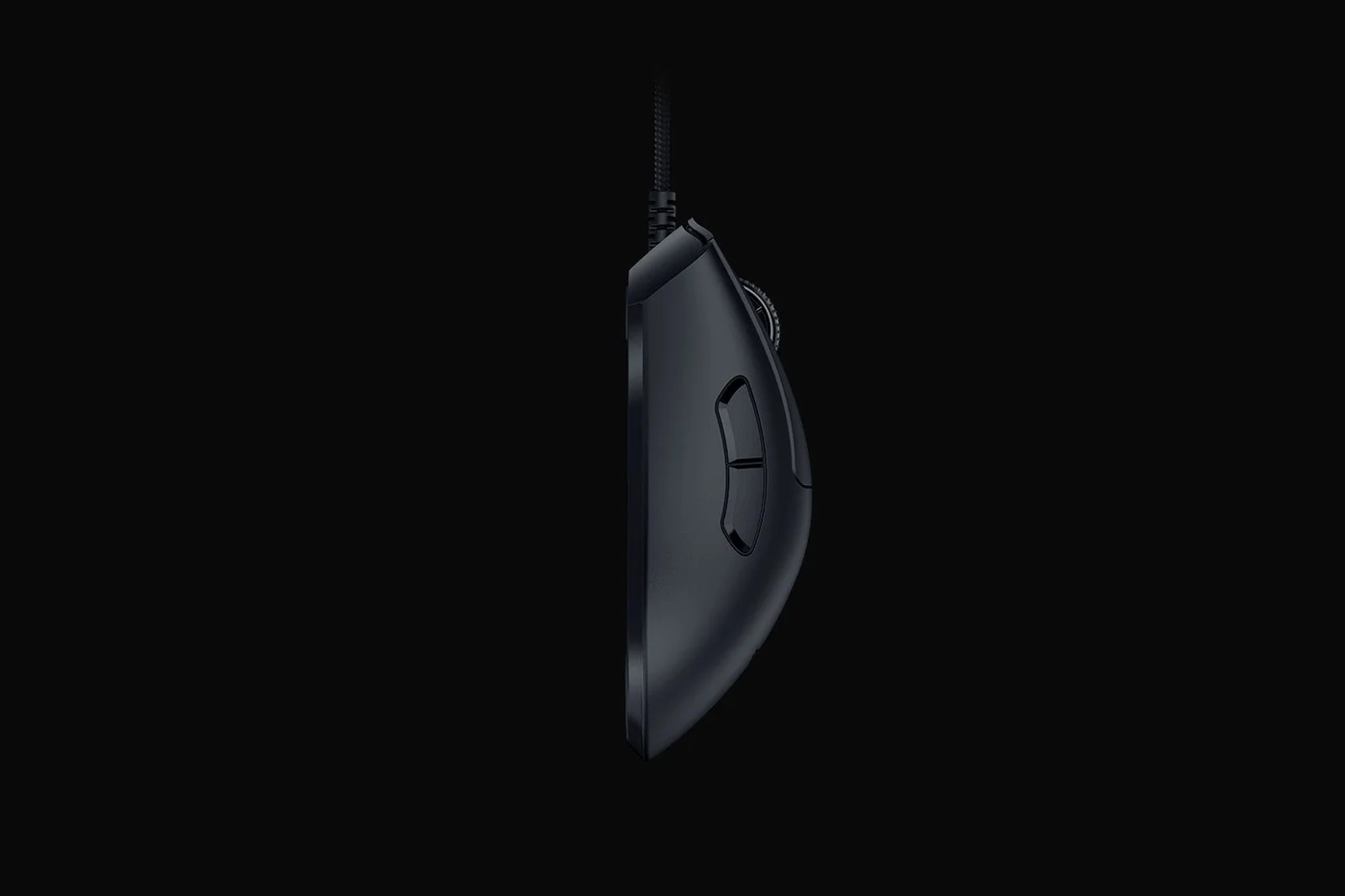
Side profile showing the higher palm arch and placement of the thumb buttons.
Photo: Razer · Manufacturer reference image. Side profile showing the higher palm arch and placement of the thumb buttons.

The Focus Pro 30K sensor, third-generation optical switches and six programmable buttons are the manufacturer’s hardware specification. They are not evidence that this mouse will improve your aim. Sensitivity, grip, game settings and practice still matter.
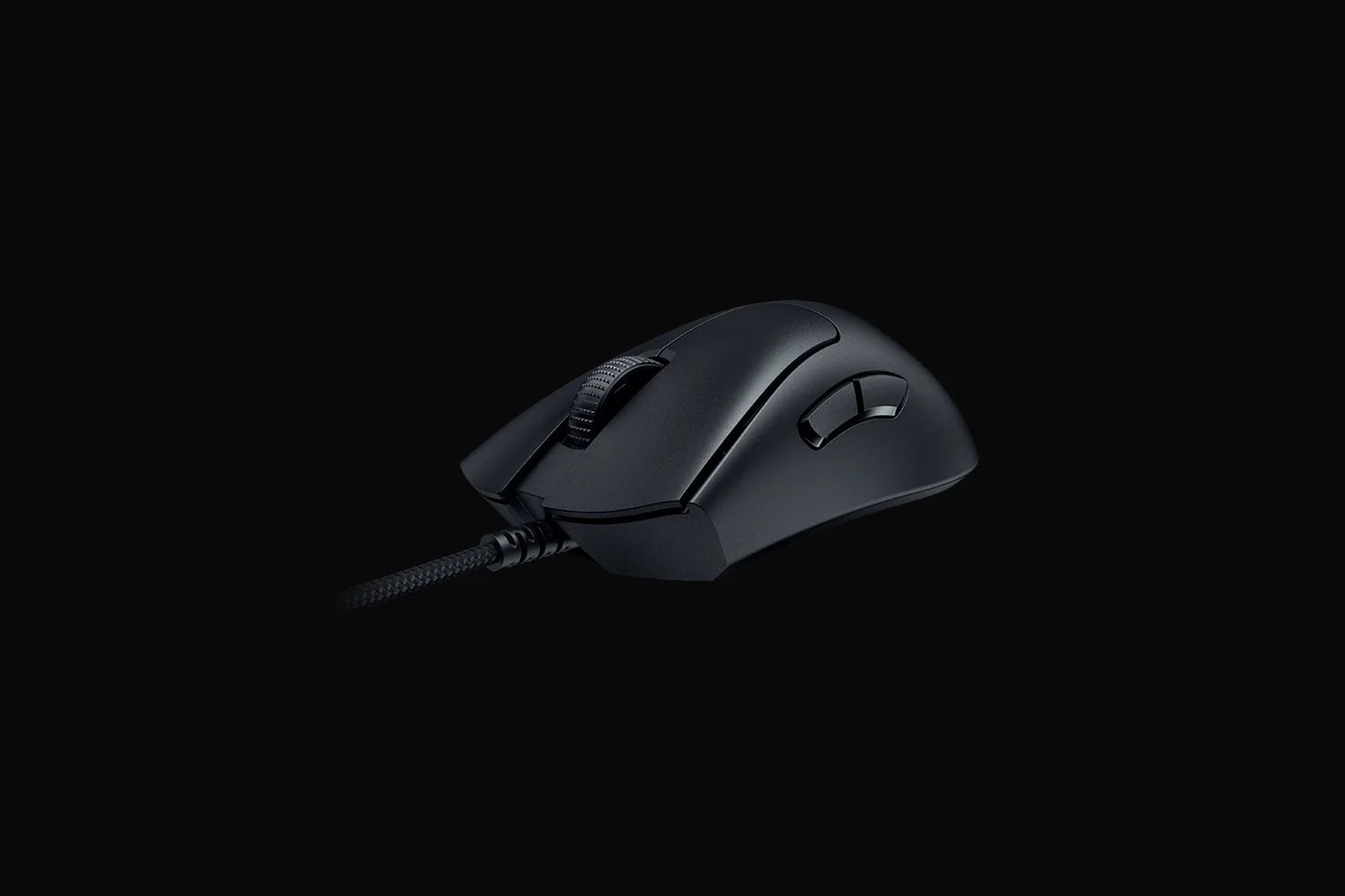
Angled front view of the Speedflex cable and the scroll wheel.
Photo: Razer · Manufacturer reference image. Angled front view of the Speedflex cable and the scroll wheel.

Do you need the highest polling setting?

Razer supports up to 8,000 Hz wired polling, with 1,000 Hz as the default. Treat the maximum as an option, not an automatic upgrade you must enable. A higher setting can increase processing demand, and the benefit depends on the computer, game and display. Begin with a stable configuration rather than changing every setting on the first evening.
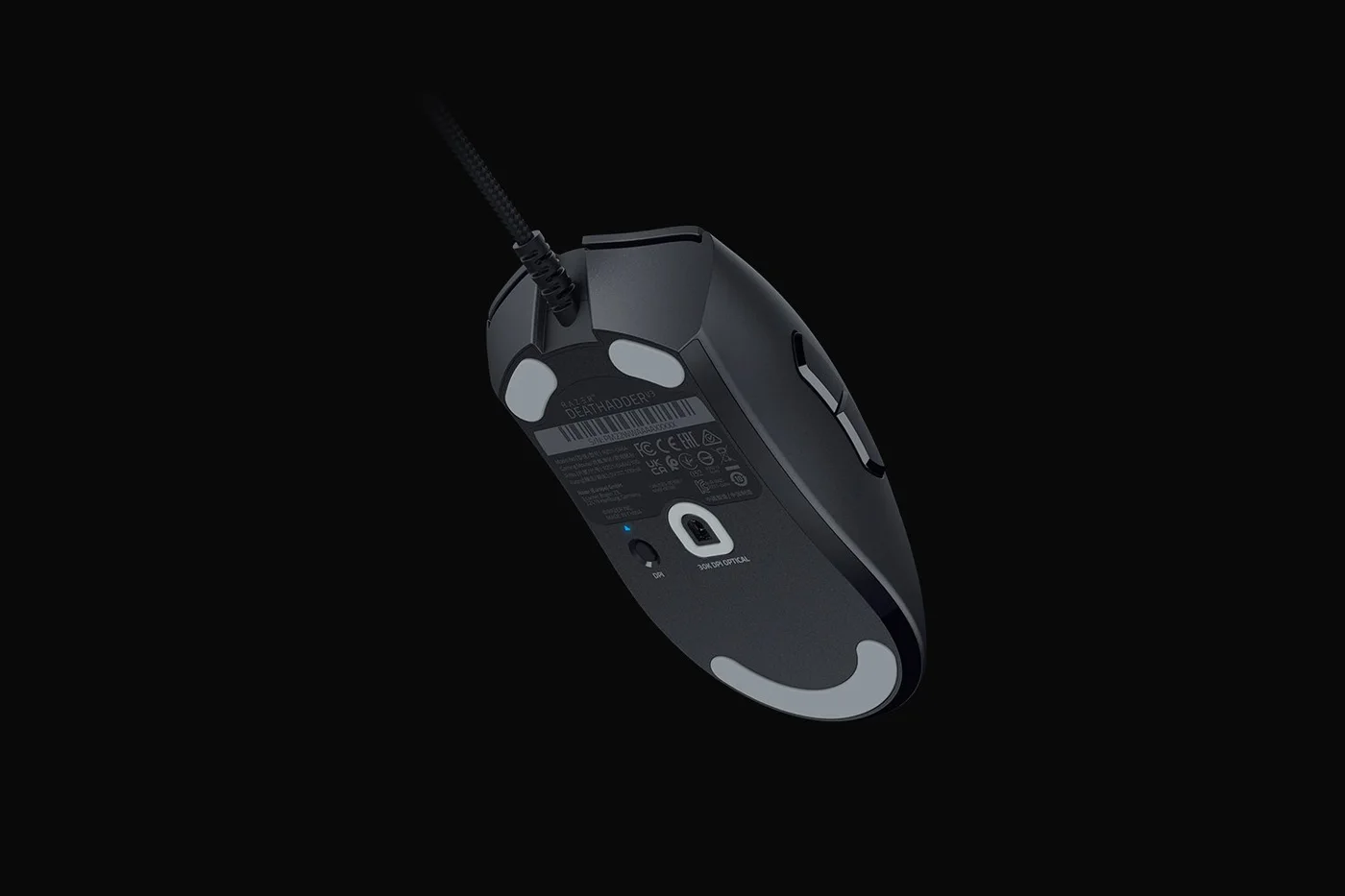
Underside with the optical sensor and glide feet; this wired model has no wireless-mode switch.
Photo: Razer · Manufacturer reference image. Underside with the optical sensor and glide feet; this wired model has no wireless-mode switch.

Buy this version deliberately

The linked selection is the black wired DeathAdder V3. V3 Pro and V3 HyperSpeed are different wireless products with different features and purchase requirements. Choose the wired V3 when low body weight, a right-handed shape and predictable desk use are your priorities. Skip it if a cable is precisely what you are trying to eliminate, or if compact travel size matters more. Check the exact model and returns before buying; this guide is research-based, not a personal playtest.
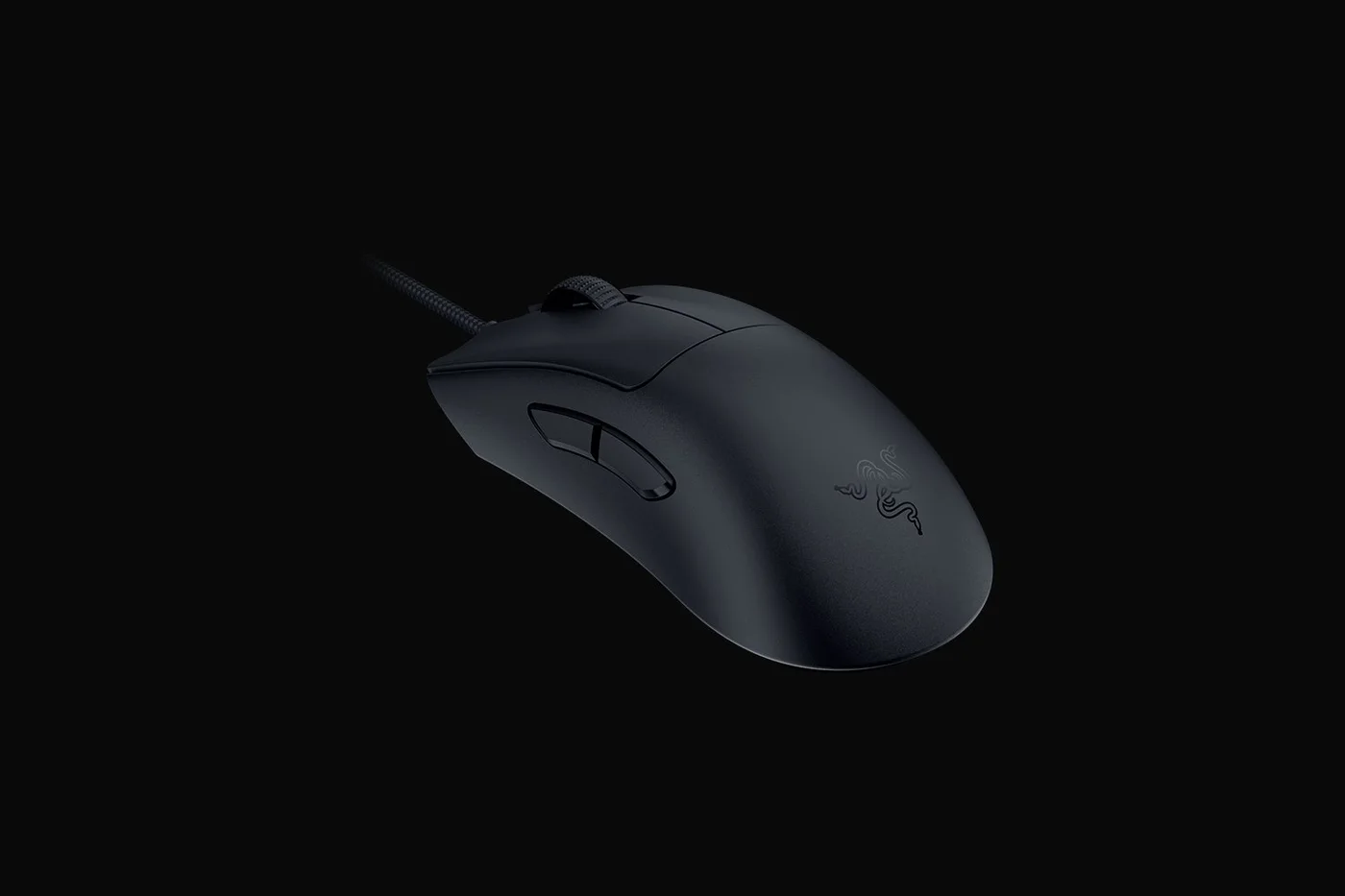
Rear-left angle showing the contour of the right-handed shell.
Photo: Razer · Manufacturer reference image. Rear-left angle showing the contour of the right-handed shell.

Ready to check availability?

Shop at Amazon

Paid link — we may earn a commission. Amazon may show a local match, an alternative or search results. Check the exact product, delivery and current price.

Evidence and sources

Research-based product guidance, not hands-on testing. Exact variant reviewed; price, stock, medical effects and international equivalence are not promised.